
Bolt to GitHub Chrome 插件, crx 扩展下载

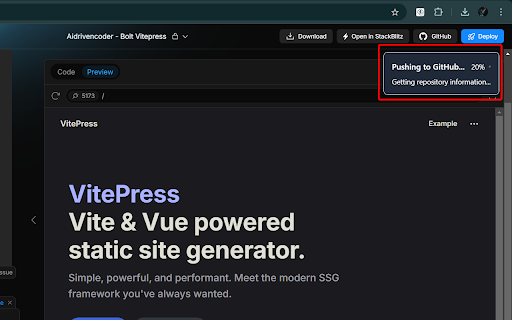
Automatically process your Bolt project zip files and upload them to your GitHub repository.
? SIMPLIFY YOUR BOLT.NEW WORKFLOW
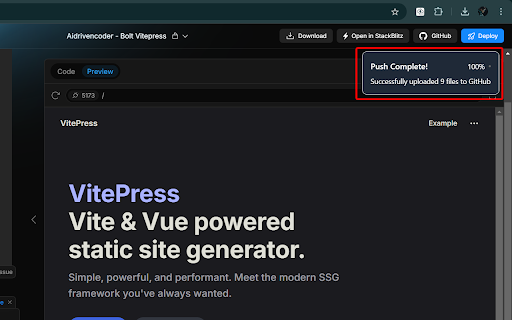
Never manually upload Bolt.new projects to GitHub again! This extension automatically processes your Bolt.new ZIP downloads and pushes them directly to your GitHub repository.
? New in v1.2.1
• Support for Private GitHub repositories
• Enhanced GitHub integration with token validation
• Improved repository management and temporary repository handling
• New user interface components:
• Help system and New User Guide
• Project Status dashboard
• Modal system for better interactions
• Robust error handling and rate limit management
• Task queue system for better performance
• Enhanced code quality with strict TypeScript standards
Existing Features
• ? Automatic ZIP file interception from bolt.new
• ? In-browser ZIP file extraction
• ? Direct GitHub repository integration
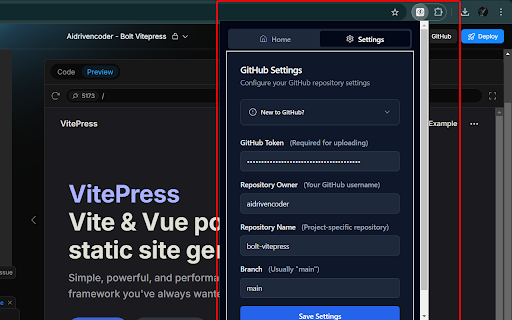
• ? Secure credential storage
• ⚡ Real-time processing status updates
• ? Clean, responsive UI with shadcn-svelte components
• ? Modern, accessible interface
• ? Upload progress tracking
• ? Custom upload status alerts
• ✨ Multi-repository support
• ? Follow .gitignore rules for file uploads
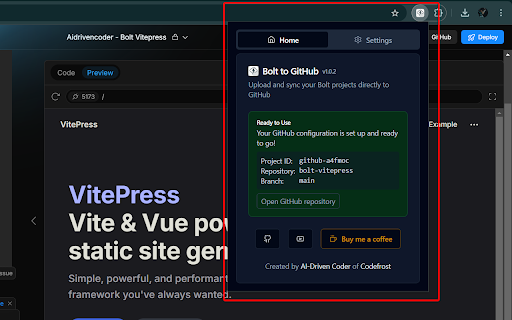
• ⚙️ Repo settings displayed in popup
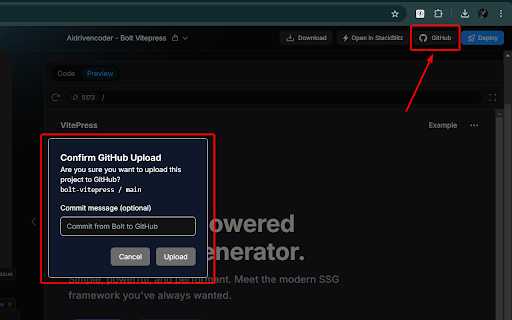
• ✉️ Custom commit messages
• ? Automatically save new project settings
• ? Projects tab with quick access to all your Bolt projects:
• View all pushed projects in one place
• Open projects directly in Bolt
• Access GitHub repositories
• Import existing GitHub repos into Bolt
? PERFECT FOR:
• Bolt.new users saving projects
• Teams collaborating on Bolt projects
• Developers maintaining project backups
• Anyone using Bolt.new with GitHub
? SECURITY FIRST:
• Your GitHub token is stored securely
• All processing happens in your browser
• HTTPS-only communication
• No external servers involved
? EASY TO USE:
1. Install the extension
2. Load a Bolt.new project
3. Configure your repository
4. Start syncing Bolt.new projects!
? LEARN MORE:
• Watch tutorial: https://youtu.be/Yfnu67nbhNU
• Get support: aidrivencoder.com
• View source: github.com/mamertofabian/bolt-to-github
Created by AI-Driven Coder
Powered by Codefrost
| 分类 | 💻开发者工具 |
| 插件标识 | pikdepbilbnnpgdkdaaoeekgflljmame |
| 平台 | Chrome |
| 评分 |
★★★★☆
4.2
|
| 评分人数 | 172 |
| 插件主页 | https://chromewebstore.google.com/detail/bolt-to-github/pikdepbilbnnpgdkdaaoeekgflljmame |
| 版本号 | 1.2.1 |
| 大小 | 166KiB |
| 官网下载次数 | 2000 |
| 下载地址 | |
| 更新时间 | 2025-01-24 00:00:00 |
CRX扩展文件安装方法
第1步: 打开Chrome浏览器的扩展程序
第2步:
在地址栏输入: chrome://extensions/
第3步: 开启右上角的【开发者模式】
第4步: 重启Chrome浏览器 (重要操作)
第5步: 重新打开扩展程序管理界面
第6步: 将下载的crx文件直接拖入页面完成安装
注意:请确保使用最新版本的Chrome浏览器
同类插件推荐

GfG to GitHub
Automatically pushes your GeeksForGeeks solution t
Bolt to GitHub
Automatically process your Bolt project zip files

Gloc
Github Gloc - counts locs on GitHub pagesGives app

Le Git Graph - Commits Graph for GitHub
A browser extension that displays the git graph fo