
Social AIO Bot. Auto Clicker Growbot. Chrome 插件, crx 扩展下载
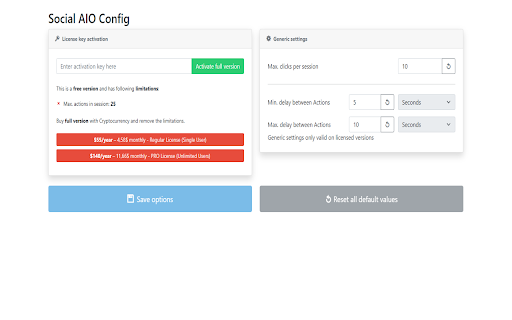


Social AIO Bot auto clicker growbot for Twitter, Automatic likes,comment likes,follows,retweets & reposts.
This project is shared as open source
https://github.com/topraktekin/social-aio-chrome-extension
Social AIO Bot auto clicker growbot for Twitter, Automatic likes,comment likes,follows,retweets & reposts.
The extension does not need any of your user information while running email,password,token
?How to use extension
●Step 1 - Install the extension "Add to Chrome"
●Step 2 - Visit Twitter.com and log in to your Twitter account
●Step 3 - Search for a hashtag or topic or enter profile
●Step 4 - Click on the blue robot icon to open the extension
●Step 5 - Set the limit to take action and choose one or both of the like or retweet options
●Step 7. Click on the "Start Bot" button and leave the window open so that the tweets appear
? Pricing, Return and Refund Policy
● This project is open source and free of charge
⛔️ Disclaimer
Social AIO Bot. Auto Clicker Growbot. does NOT belong or is related to the official Twitter application/website in any way. It is an unofficial app that is developed and maintained independently.
⭐Features
● Reply
● Retweet
● Follow
● Like
Patch notes:
v1.5.5
+Updated new twitter url
v1.5.3
+Extension name and icon changed
+Appearance improvements have been made
+Preliminary work done for other social media applications
v1.5.1
+pull a reply clause from a text file
+reply & like & retweet functions can now be used simultaneously
+added discord support
+Optimization updates made
v1.6
+Shared as open source
+License check removed
| 分类 | 📝工作流程与规划 |
| 插件标识 | pjbcokeiajlkicejjfioeoggjblmhoko |
| 平台 | Chrome |
| 评分 |
★★★☆☆
3.9
|
| 评分人数 | 8 |
| 插件主页 | https://chromewebstore.google.com/detail/social-aio-bot-auto-click/pjbcokeiajlkicejjfioeoggjblmhoko |
| 版本号 | 1.6.0 |
| 大小 | 961KiB |
| 官网下载次数 | 288 |
| 下载地址 | |
| 更新时间 | 2024-09-22 00:00:00 |
CRX扩展文件安装方法
第1步: 打开Chrome浏览器的扩展程序
第2步:
在地址栏输入: chrome://extensions/
第3步: 开启右上角的【开发者模式】
第4步: 重启Chrome浏览器 (重要操作)
第5步: 重新打开扩展程序管理界面
第6步: 将下载的crx文件直接拖入页面完成安装
注意:请确保使用最新版本的Chrome浏览器
同类插件推荐

Auto Tweet Retweeter
Automatically retweet tweets found on tabs.Twitter

SupaBird - Grow Your Twitter With Auto Likes and Viral Posts
SupaBird is a Twitter/X growth tool that helps you

Auto Like Twitter / X Tool
Extension to help you like more on XXLiker - Auto

Social Media Bot. Auto Clicker Growbot.
Social Media Bot auto clicker growbot for X, TikTo

Automatic Button Clicker - A.B.C
Helps users to automatically click various buttons
Social AIO Bot. Auto Clicker Growbot.
Social AIO Bot auto clicker growbot for Twitter, A

Twitter Scroller and Liker
Scrolls and likes in twitter.This adds two new ico

Twitter auto follow
Automation to help auto follow (You can use for sl

TwBoost - X/Twitter Automation Tool
X/Twitter Automation Outreach tool, auto mass dm,

Twitter 自动关注 Pro
自动关注和取关用户,轻松增加你的Twitter/X粉丝。自动关注和取关用户以优化您的社交媒体互动。

XReplyGPT
The fastest way to reply to tweets using ChatGPT a

Snowball.club - All-in-one X (Twitter) Growth Platform with AI and more
Boost your X (Twitter) growth - Personalized tweet

Twitter - Add Instant Reply
This extension adds an instant reply button, which