
GUID Generator Chrome 插件, crx 扩展下载
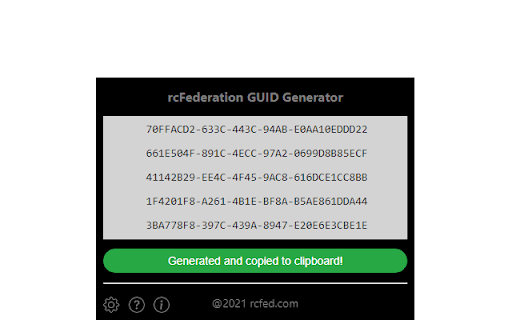
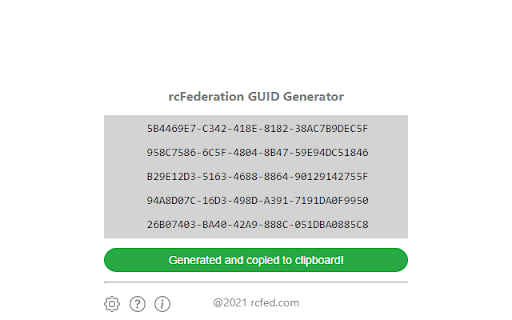
Generate GUID and copy to clipboard with a single click
Generate and copy GUID(s) to clipboard with a single click.
As a developer you often work with Global Unique Identifiers (GUID). Use this extension to create up to ten GUIDs by a single click and automatically copy to clipboard.
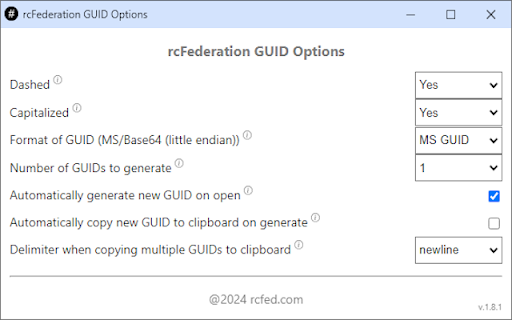
Using the options, you can choose:
- to generate between 1-10 GUIDs by a single click
- to enable automatically copy GUIDs to clipboard when generated
- to enable automatically generate GUIDs when opening this extension
- if GUIDs must contain dashes
- if GUIDs must be capitalized
- format of GUIDs that are generated (Microsoft/Base64 encoded)
- between different delimiter when copying multiple GUIDs to clipboard
The extension supports browser Dark Mode.
Feature requests are most welcomed :-)
| 分类 | 💻开发者工具 |
| 插件标识 | pmhhophjkcdolhpfbepkdpojoilnflmf |
| 平台 | Chrome |
| 评分 |
★★★★★
5
|
| 评分人数 | 2 |
| 插件主页 | https://chromewebstore.google.com/detail/guid-generator/pmhhophjkcdolhpfbepkdpojoilnflmf |
| 版本号 | 1.8.1 |
| 大小 | 52.25KiB |
| 官网下载次数 | 1000 |
| 下载地址 | |
| 更新时间 | 2024-04-12 00:00:00 |
CRX扩展文件安装方法
第1步: 打开Chrome浏览器的扩展程序
第2步:
在地址栏输入: chrome://extensions/
第3步: 开启右上角的【开发者模式】
第4步: 重启Chrome浏览器 (重要操作)
第5步: 重新打开扩展程序管理界面
第6步: 将下载的crx文件直接拖入页面完成安装
注意:请确保使用最新版本的Chrome浏览器
同类插件推荐
GUID Injector
Creates a unique GUID/UUID and inserts it into a t

GUID Quickie
Press Ctrl+Shift+5 from anywhere in your PC to gen

UUID generator
Easily generate UUIDGenerate random UUID and copy

UUID Generator NEO
Simple UUID Generator for developersUUID Generator

IMEI Generator
It generates IMEI codes with right-click context m

DOM to JSON Selector
The tool extracts element details for highlighted

Bearer Token Retriever
Retrieves your bearer token from a given pageRetri

JWT Decoder
Tool to decode JWT tokensQuickly decode JWT Tokens

Libraries.io | GitHub Companion
Show dependency health as you browse.Libraries.io

SAML, WS-Federation and OAuth 2.0 tracer
Trace and decode all SAML, WS-Federation and OAuth
GUID Generator
Generate GUID and copy to clipboard with a single

Site DOM Tree
Quickly analyze a website's DOM treeQuickly pr

Cloud Pegboard AWS Console Enhancer
Supercharge your AWS consoleOur free extension mak