
Upwex - AI Tools for Upwork Chrome 插件, crx 扩展下载

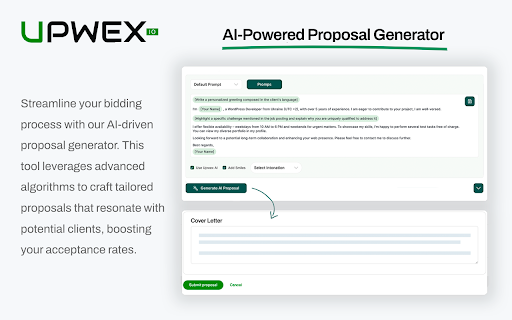
Upwork AI Proposal & Sync with Pipedrive
Introducing Upwex - the ultimate AI-driven browser extension designed to revolutionize your Upwork experience! Whether you're a freelancer or a business, Upwex offers a comprehensive suite of tools to enhance your workflow and achieve outstanding results.
With Upwex, you'll:
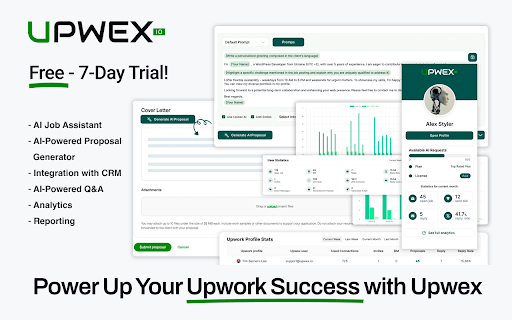
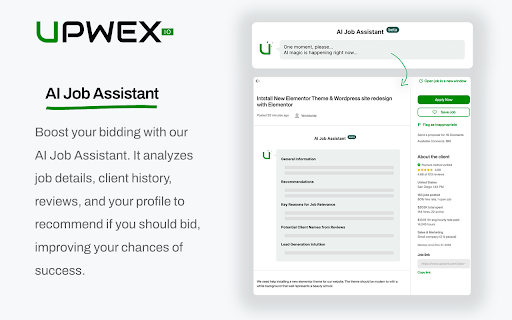
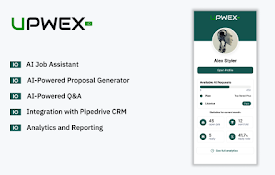
- unlock a powerful AI Job Assistant that analyzes job posts, helping you identify the best opportunities
- the AI-Powered Proposal Generator crafts personalized proposals that stand out
- the AI-Powered Q&A ensures you never miss a beat in client communications
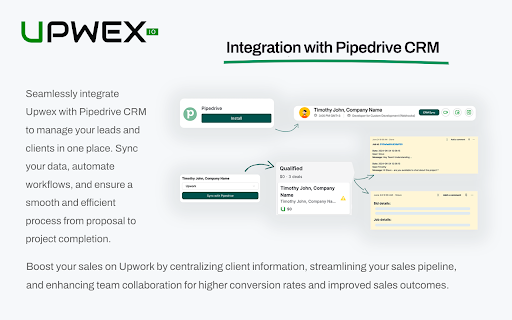
Seamlessly integrating with Pipedrive CRM, Upwex allows you to manage clients and track progress effortlessly.
But that's not all!
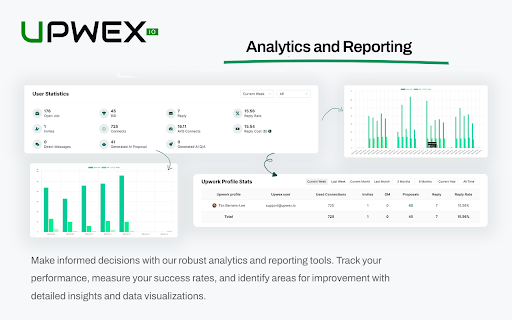
Upwex includes robust Analytics and Reporting features, enabling CEOs to oversee company growth with data-driven decisions. Lead Generators can streamline their sourcing processes, and Sales Teams benefit from efficient, cohesive CRM integrations. Powered by OpenAI and our proprietary machine learning technology, Upwex is the #1 Upwork automation tool, providing unparalleled security and functionality.
By leveraging Upwex, you'll save time, work more efficiently, and consistently create winning proposals. Stay ahead of the competition with features like AI Cover Letters (upwork proposal generator AI) and Upwork AI Job Assistant. Perfect for anyone looking to boost their productivity on Upwork, Upwex is the essential upwork toolkit, earning badges, and building a stellar reputation.
Don’t let your competitors get ahead.
Install the Upwex Chrome Extension today and transform your Upwork experience with the power of AI.
| 分类 | 📝工作流程与规划 |
| 插件标识 | pmipgiahphnifpajbfnpahjfkanpfabf |
| 平台 | Chrome |
| 评分 |
★★★★☆
4.7
|
| 评分人数 | 488 |
| 插件主页 | https://chromewebstore.google.com/detail/upwex-ai-tools-for-upwork/pmipgiahphnifpajbfnpahjfkanpfabf |
| 版本号 | 3.1.3 |
| 大小 | 551KiB |
| 官网下载次数 | 1000 |
| 下载地址 | |
| 更新时间 | 2025-02-13 00:00:00 |
CRX扩展文件安装方法
第1步: 打开Chrome浏览器的扩展程序
第2步:
在地址栏输入: chrome://extensions/
第3步: 开启右上角的【开发者模式】
第4步: 重启Chrome浏览器 (重要操作)
第5步: 重新打开扩展程序管理界面
第6步: 将下载的crx文件直接拖入页面完成安装
注意:请确保使用最新版本的Chrome浏览器
同类插件推荐

Piedwork
Piedwork extension facilitates manager experience
Upwex - AI Tools for Upwork
Upwork AI Proposal & Sync with PipedriveIntrod

Upwork Helper by Vollna
Get more clients on Upwork with less effortTrack n

Upwork hunter
Upwork job search assistant extension.Upwork Hunte

Filter upwork projects
List down all countries from upwork jobs listing p
Upwork Smart - AI Assistant & Quick Apply Latest Jobs
Automating proposal submissions, generate cover le

Upwork Client Coversation Aid
Saves time of conversing with freelancers with the

Easywork: Upwork helper
Upwork helper for freelancersEmpower your freelanc

BestLetter: AI Cover Letters for UpWork
A new AI-powered tool for UpWork.Try an AI-powered
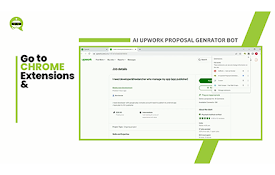
AI Upwork Proposal Generator Bot
An AI-powered Upwork proposal bot for freelancers

Upwork toolkit - your own freelance assistant
Save time and earn more with Upwork toolkit.======

Proposaly - Upwork AI Proposal Generator
??? Now usable across ANY freelancing platform! ??

Upwork Cover Letter Generator with Chat GPT
Searches for job descriptions on Upwork job post p