
Patsa - AI-powered Meeting Copilot Chrome 插件, crx 扩展下载
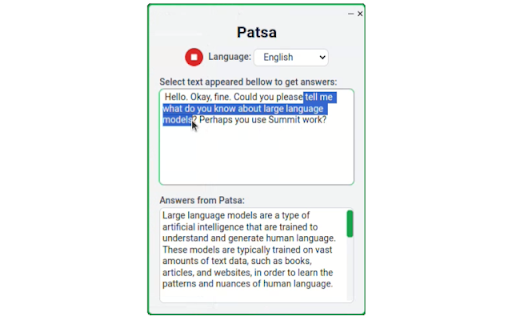
Patsa is a real-time AI copilot for meetings that will make you a know-it-all during an online meeting. Get AI answers instantly.
Launch the Patsa extension during a Google Meet/Zoom/Teams meeting. Transcribe other participants' speech and receive additional information and answers to questions from AI in real time.
How it works:
1) Launch the Patsa extension during any online meeting in Chrome.
2) Click the “Start Transcription” button. The speech of other meeting participants will then be transcribed.
3) Select the transcribed text you want to ask the AI to answer and you will receive information from the AI instantly.
Good luck at the meeting!
| 分类 | 🛠️工具 |
| 插件标识 | pnhmmhieodnagejlokknhmhbmfpgohnn |
| 平台 | Chrome |
| 评分 |
★★★☆☆
3.4
|
| 评分人数 | 5 |
| 插件主页 | https://chromewebstore.google.com/detail/patsa-ai-powered-meeting/pnhmmhieodnagejlokknhmhbmfpgohnn |
| 版本号 | 116 |
| 大小 | 227KiB |
| 官网下载次数 | 36 |
| 下载地址 | |
| 更新时间 | 2024-07-07 00:00:00 |
CRX扩展文件安装方法
第1步: 打开Chrome浏览器的扩展程序
第2步:
在地址栏输入: chrome://extensions/
第3步: 开启右上角的【开发者模式】
第4步: 重启Chrome浏览器 (重要操作)
第5步: 重新打开扩展程序管理界面
第6步: 将下载的crx文件直接拖入页面完成安装
注意:请确保使用最新版本的Chrome浏览器
同类插件推荐

ActionGPT: AI-Powered Real-Time Meeting Assistant
This extension listens to your meetings, courses,
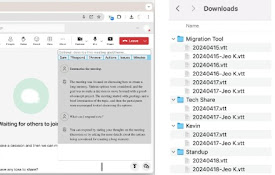
MeetMate: MSTeams 会议 AI 助手
自动保存会议记录和实时 AI 辅助MSTeams Meeting AI Assistant The
Patsa - AI-powered Meeting Copilot
Patsa is a real-time AI copilot for meetings that
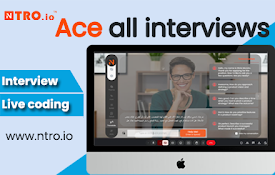
Ntro.io: Free Job Interview Copilot for Live Coding & Skill Asessment
Realtime AI assistant for all types of job intervi

EasyInterview: ChatGPT for Google Meet
EasyInterview will help you pass the interview and

AI Interview Helper
Open InterviewHacker.ai in a resizable popup windo
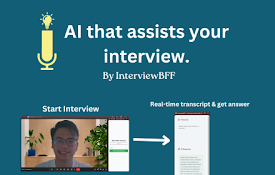
InterviewBFF - Interview Copilot with AI
Assist your online interviews with real-time AI an

ChatGPT助手 for Google Meet
Google Meet上的ChatGPT-4助手,用于在Google Meet平台上的通话期间提供即

Chant-GPT_Prompt
ChatGPT Prompt Extension- You can summon ChatGPT a

TapToCopee - Copy Text Button for ChatGPT
Adds a copy button for your chatGPT session to cop

LightUpTheWeb(Beta)
Bookmark, Highlight and SearchLightUpTheWeb: The U

Needyu.ai Meeting Copilot
Needyu.ai - 你的智能助手? 概览: 通过Needyu,您的AI驱动助手,管理Googl

PromptEasily ChatGPT - HDTeam
PromptEasily ChatGPT - HDTeam adds a list of curat