
Sumz: AI powered website summarizer Chrome 插件, crx 扩展下载
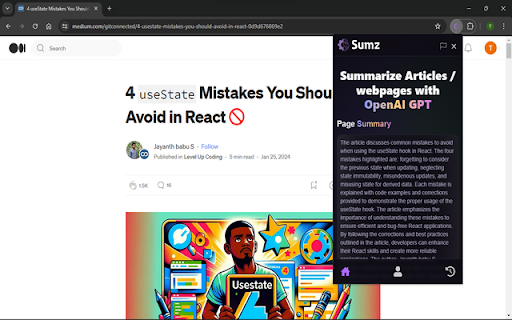

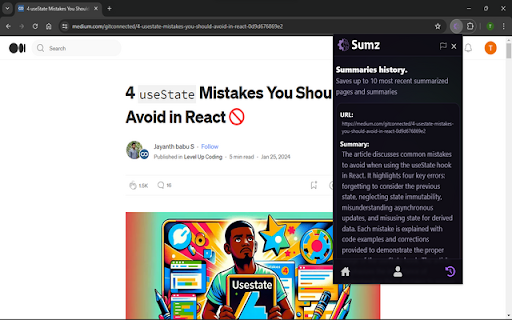
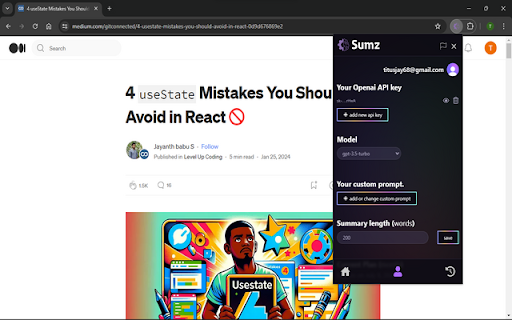
Revolutionize online content consumption with AI Summarizer: instant, concise summaries of lengthy articles/webpages.
Summarize any article or webpage
Unlock the power of artificial intelligence with Sumz AI Summarizer Chrome extension! This cutting-edge tool
revolutionizes the way you consume online content by providing instant, concise summaries of lengthy articles.
Harnessing advanced natural language processing, our extension identifies key information, extracts vital details,
and condenses articles into bite-sized summaries without compromising on relevance.
WHY USE SUMZ AND ITS BENEFITS?
- instantly get a summary of any webpage you're reading with a click of a button using AI
- customise your prompt to get your summary the way you want it
- customise the length of your summary to fit your needs
- save you summaries in your localstorage for easy access whenever you wanna look back
HOW CAN I USE SUMZ TO SUMMARIZE ARTICLES AND/OR WEBPAGES?
To start summarising with sumz, all you have to do after installation is click on the extension to open the popup, create
an account if you don't have on already add your open ai api key to your profile tab, this can be found at https://platform.openai.com,
when you navigate over to open ai platform, on the side bar on your left where the openai logo is at, click on "API keys"
then click on the button "Create new secret key" it will open a popup where you can add a name for the key like "my api key"
then just create you key. After creating your api key copy and paste it over to your profile tab in the extension popup to
begin summarising. checkout https://sumz.pro/#how-to-use for more details.
Get to know more about sumz on https://sumz.pro
| 分类 | 🛠️工具 |
| 插件标识 | podfcfknndlokbblocgnjkeimglpgomi |
| 平台 | Chrome |
| 评分 |
★★★★☆
4
|
| 评分人数 | 660 |
| 插件主页 | https://chromewebstore.google.com/detail/sumz-ai-powered-website-s/podfcfknndlokbblocgnjkeimglpgomi |
| 版本号 | 1.0.0 |
| 大小 | 656KiB |
| 官网下载次数 | 60 |
| 下载地址 | |
| 更新时间 | 2024-05-07 00:00:00 |
CRX扩展文件安装方法
第1步: 打开Chrome浏览器的扩展程序
第2步:
在地址栏输入: chrome://extensions/
第3步: 开启右上角的【开发者模式】
第4步: 重启Chrome浏览器 (重要操作)
第5步: 重新打开扩展程序管理界面
第6步: 将下载的crx文件直接拖入页面完成安装
注意:请确保使用最新版本的Chrome浏览器
同类插件推荐

AI摘要生成器
使用AI摘要生成器提高生产力!利用强大的AI摘要工具即时总结文章、简历和网页。介绍AI摘要生成器,这

Web Text Expander: Text Shortcuts & Snippets
Work smarter and type faster with text shortcuts!

总结文本
我们的总结文本应用程序是一个高效的AI文本摘要工具,可以提取关键点并将网页总结为简明的见解。?️ 想
Sumz: AI powered website summarizer
Revolutionize online content consumption with AI S