
YouTube Subscriptions Exporter & Importer Chrome 插件, crx 扩展下载
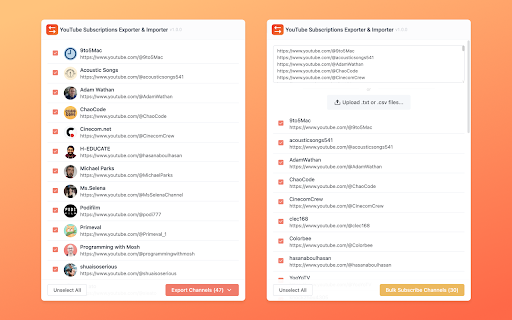

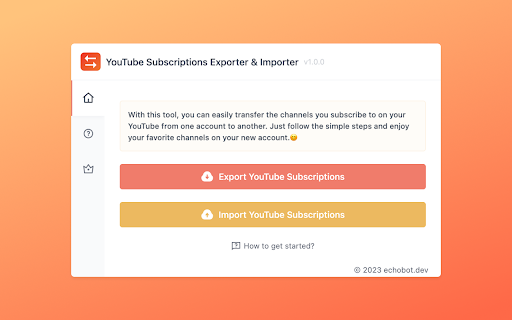
Easily export, import, and transfer your YouTube subscriptions. Quickly move channel URLs between accounts.
YouTube Subscriptions Exporter & Importer: Manage your YouTube subscriptions seamlessly and easily! Whether you want to export, import, or transfer your subscriptions, this Chrome extension has you covered. Say goodbye to tedious manual work and hello to a streamlined process.
With just a few clicks, you can export the URLs of all your YouTube channel subscriptions in one go, or import them into another YouTube account. No more tedious, time-consuming tasks. Enjoy your favorite channels on your new account.
? Features
✓ Export/Import Subscriptions
✓ Export channels data file to TXT,CSV,XLSX
✓ Bulk Subscribe Channels
✓ Continued free updates
? Data Privacy
All data is processed in your local computer, it never passes through our web server and no one knows what you have saved.
? Contact
If you have any issues, feel free to contact [email protected]
| 分类 | 🛠️工具 |
| 插件标识 | ponjnjnjfemmcfcmpjcdfmepfcegidjl |
| 平台 | Chrome |
| 评分 |
★★★★☆
4.7
|
| 评分人数 | 19 |
| 插件主页 | https://chromewebstore.google.com/detail/youtube-subscriptions-exp/ponjnjnjfemmcfcmpjcdfmepfcegidjl |
| 版本号 | 1.0.3 |
| 大小 | 605KiB |
| 官网下载次数 | 274 |
| 下载地址 | |
| 更新时间 | 2024-10-31 00:00:00 |
CRX扩展文件安装方法
第1步: 打开Chrome浏览器的扩展程序
第2步:
在地址栏输入: chrome://extensions/
第3步: 开启右上角的【开发者模式】
第4步: 重启Chrome浏览器 (重要操作)
第5步: 重新打开扩展程序管理界面
第6步: 将下载的crx文件直接拖入页面完成安装
注意:请确保使用最新版本的Chrome浏览器
同类插件推荐

YouTube Subscriptions Exporter & Importer
Easily export, import, and transfer your YouTube s

YouTube Subscription Exporter & Importer
A free tool for exporting or importing your YouTub

Youtube Subscriptions Transfer
Transferring subscriptions from one YouTube accoun

Tubelator: AI Subtitles, Summaries & Transcript Export for YouTube
AI subtitles and summary for YouTube videos. Expor