Fast Tab Switcher Chrome 插件, crx 扩展下载
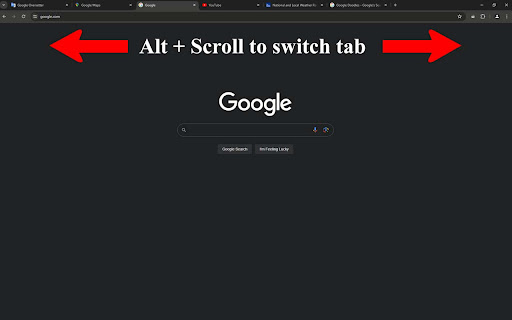
Switch tabs quickly using Alt + scroll wheel.
Alt + Scroll: Smoother tab experience
Quickly switch between tabs using the Alt + scroll combination with Fast Tab Switcher. Enjoy a seamless and ultra-fast browsing experience by simply holding down the Alt key and scrolling your scroll wheel. Perfect for power users who need to navigate multiple tabs efficiently.
Note: This extension does not work on Chrome's built-in pages (e.g., chrome://settings, chrome://extensions). Other than that it works great?
| 分类 | 🛠️工具 |
| 插件标识 | ppfmmmhilkhpepdeagecoammppaackeh |
| 平台 | Chrome |
| 评分 |
★★★★☆
4.4
|
| 评分人数 | 242 |
| 插件主页 | https://chromewebstore.google.com/detail/fast-tab-switcher/ppfmmmhilkhpepdeagecoammppaackeh |
| 版本号 | 1.0 |
| 大小 | 46.55KiB |
| 官网下载次数 | 19 |
| 下载地址 | |
| 更新时间 | 2024-05-17 00:00:00 |
CRX扩展文件安装方法
第1步: 打开Chrome浏览器的扩展程序
第2步:
在地址栏输入: chrome://extensions/
第3步: 开启右上角的【开发者模式】
第4步: 重启Chrome浏览器 (重要操作)
第5步: 重新打开扩展程序管理界面
第6步: 将下载的crx文件直接拖入页面完成安装
注意:请确保使用最新版本的Chrome浏览器