Qvidian for Web (US Hosting) Chrome 插件, crx 扩展下载
CRX扩展文件安装方法
第1步: 打开Chrome浏览器的扩展程序
第2步:
在地址栏输入: chrome://extensions/
第3步: 开启右上角的【开发者模式】
第4步: 重启Chrome浏览器 (重要操作)
第5步: 重新打开扩展程序管理界面
第6步: 将下载的crx文件直接拖入页面完成安装
注意:请确保使用最新版本的Chrome浏览器
同类插件推荐

LFS for Chrome
Respond to RFPs, RFIs, DDQs, and Security Question

DealCloud
Identify opportunities, capture notes, and update

Qvidian for Web (US Hosting)
Qvidian for Web (US Hosting) allows you to find an

Qvidian for Web (EU Hosting)
Qvidian for Web (EU Hosting) allows you to find an
Loopio Chrome Extension
Now you can quickly import questionnaires from onl

LTI Debugger
View & Debug LTI launchesThis plugin adds a &q

Avaya Screen Sharing
启用与Avaya会议的实时协作屏幕共享Avaya Screen Sharing lets you s
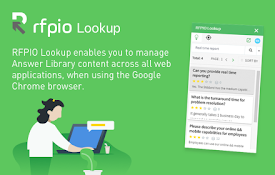
Responsive® LookUp for Chrome
——Access your Responsive Answer Library from Googl

Delinea Web Password Filler
Access Platform and Secret Server managed credenti
Spekit
The leading in-app digital adoption and enablement

Storylane
Capture your product application pages easily, and

Seismic
Get the content you need, where you need it, insta

Outreach Everywhere
Maximize your sales potential, anywhere you go!The