Front-end Performance Analyzer Chrome 插件, crx 扩展下载
CRX扩展文件安装方法
第1步: 打开Chrome浏览器的扩展程序
第2步:
在地址栏输入: chrome://extensions/
第3步: 开启右上角的【开发者模式】
第4步: 重启Chrome浏览器 (重要操作)
第5步: 重新打开扩展程序管理界面
第6步: 将下载的crx文件直接拖入页面完成安装
注意:请确保使用最新版本的Chrome浏览器
同类插件推荐

Performance Toolkit
Performance Toolkit for Chrome Devtools. A visuali

Front End Tips Tab
Get HTML / CSS / Javascript tips when you open a n

UXM - Web Performance Monitor (22q3)
Installed by your IT Organization via UXM Desktop

k6 Browser Recorder
Record k6 scripts right from the browser, automati

Performance Monitor
Gives system and tab information for developers.Th

Exploratory Testing Chrome Extension
Exploratory testing session using ChromeA Chrome e

Performance-Analyser
Get insight into the performance of the website in

Front-end Performance Analyzer
[Experiment] Chormium plugin for client-side perfo

Page Performance
Gather site performance metrics using PageSpeed AP
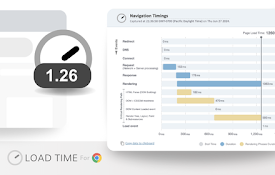
Load Time
Shows the load time of a web page in the toolbar a

LoadFocus: Page Speed Monitoring
Website Speed Test and Page Speed Monitoring exten

Site Speed by DebugBear
View Web Vitals metrics for the websites you visit

PageOptimus - website speed optimizer
Website speed and performance optimization toolPag