Website IP Chrome 插件, crx 扩展下载
CRX扩展文件安装方法
第1步: 打开Chrome浏览器的扩展程序
第2步:
在地址栏输入: chrome://extensions/
第3步: 开启右上角的【开发者模式】
第4步: 重启Chrome浏览器 (重要操作)
第5步: 重新打开扩展程序管理界面
第6步: 将下载的crx文件直接拖入页面完成安装
注意:请确保使用最新版本的Chrome浏览器
同类插件推荐

Show IP – Live View of Website IPs for Developers
Effortlessly view IP address with this browser ext

网站IP
展示网站地区和ip;按ESC可隐藏,单击复制IP插件会在左下角显示当前网站的IP和地区 1. 显示

Website IP location trace - SecurityInfinity
Website IP and location tracer allows users to see

Ip Location
Locate Yourself !This chrome extension allows you

网站服务器IP - 支持IPv6、复制、更换位置、全屏隐藏
查看当前网站的服务器IP,支持localhost 和 127.0.0.1 的个性显示,与hosts文

IP 域名查询 - IP地址和域名信息
获取网页 IP 地址的所有详细信息,包括地理位置、网络、ASN 等。为您提供有关您正在访问的网站的服

Website IP
Simple Chrome Extension to get the current website

Website IP
Simple script which places the IP of the current w
My Public IP
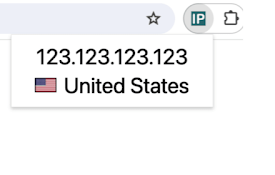
Displays your public IP address and the correspond

Server IP
View Server IP address or aliasWhat's new in v

ShowIp
Show IPv4 & IPv6 addresses of the current webp

Website IP
Simple script which places the IP of the current w

IP Address and Domain Information
最终在线调查工具 !请参阅每个 IP 地址、 域名和提供程序的详细的信息。此扩展显示有关当前网站的详