Mr.Jimaku Chrome 插件, crx 扩展下载
CRX扩展文件安装方法
第1步: 打开Chrome浏览器的扩展程序
第2步:
在地址栏输入: chrome://extensions/
第3步: 开启右上角的【开发者模式】
第4步: 重启Chrome浏览器 (重要操作)
第5步: 重新打开扩展程序管理界面
第6步: 将下载的crx文件直接拖入页面完成安装
注意:请确保使用最新版本的Chrome浏览器
同类插件推荐
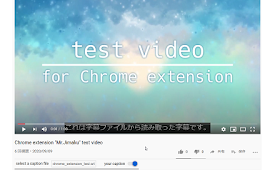
Mr.Jimaku
Show your caption on the YouTube- If you have a ca

YT-HighLighter
A timecode tracker for YouTubeA tool for extractin

听说学习 - 使用 Youtube 学习语言
使用 Youtube 学习一门新语言本插件可以帮助你在 Youtube 进行听说学习 使用方法如下

Surf Learning - Open Beta
Select your native language from extension configu

FairyNote 2 - YouTube章节时间点生成器
FairyNote用于记录youtube直播或视频中的时间链接。 用于MOOC课程,TED课程,音乐
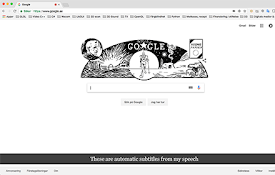
Ribbing Reader
Automatic browser subtitles using speech-to-text.

Amazing Searcher
Add useful information to Google Search resultsAma

+Sub
Load subtitle to a HTML5 video.Load subtitle into

Jumpcut
Navigate videos through YouTube comments, or make

Blur Bar for YouTube - Language Learning Tool
A simple yet powerful tool to place an adjustable

Youtube Subtitle
Display 3rd-party(Amara) subtitles on youtube vide

YouTube Timestamps to Playlist
This extension creates a playlist from time tags o

Youtube Eye: Find popular (month, year, etc)
Find a Youtube channel's most popular videos f