ShowPassword Chrome 插件, crx 扩展下载
CRX扩展文件安装方法
第1步: 打开Chrome浏览器的扩展程序
第2步:
在地址栏输入: chrome://extensions/
第3步: 开启右上角的【开发者模式】
第4步: 重启Chrome浏览器 (重要操作)
第5步: 重新打开扩展程序管理界面
第6步: 将下载的crx文件直接拖入页面完成安装
注意:请确保使用最新版本的Chrome浏览器
同类插件推荐

Amazing Affiliate Link
Automatically applies an Affiliate Tracking Id to

ChromeBar Preview
PhoneBar Chrome Extension - PreviewEnables the int

ChromeBar
PhoneBar Chrome ExtensionEnables the integration o

ShowPassword
Reveal or hide passwords with Mouse Over, CTRL + M

显示密码 - 最安全的密码查看器
右键单击密码框并轻松将点切换为文本。✅ 本插件支持 Manifest V3 写在前面:您的隐私会得
Show and Hide Passwords
Show and Hide Passwords allows you to view and hid

Show me my Password
Shows the masked password when you hover or choose
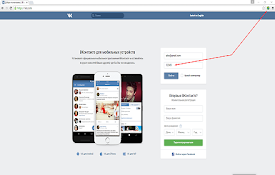
Show password
Viewing hidden passwords on pageWith this extensio
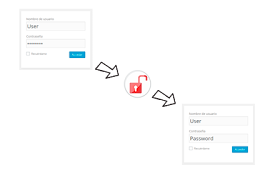
Show Passwords
Show all password of page - Muestra las contraseña

Show password
Ability to show passwords in input fields!Unmask a

查看密码 - ShowPassword
? 让你双击即可查看密码框可以方便的查看填写的密码,支持自定义触发设置,如: - 双击 - 单击 -
ShowPassword
当鼠标停留在密码框时显示密码。你是否曾经因为打错一个字,而删除所有密码重打?这是很令人讨厌的。 现在

Password Toggler - view typed passwords
Adds button to show/hide password in input element