TinEye Reverse Image Search Chrome 插件, crx 扩展下载
CRX扩展文件安装方法
第1步: 打开Chrome浏览器的扩展程序
第2步:
在地址栏输入: chrome://extensions/
第3步: 开启右上角的【开发者模式】
第4步: 重启Chrome浏览器 (重要操作)
第5步: 重新打开扩展程序管理界面
第6步: 将下载的crx文件直接拖入页面完成安装
注意:请确保使用最新版本的Chrome浏览器
同类插件推荐

Image Search
Find similar images in popular search enginesSearc

Search image with Yandex
Search for similar images in Yandex with open sour

PhotoTracker Lite
Fast and free one-click image duplicates search in

Google Image Search
Quickly search by image using GoogleThis extension
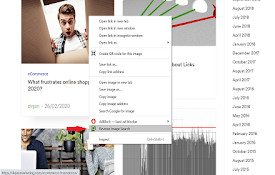
Reverse Image Search
Right click on an image and find it's origin i

Reverse Image Search
添加一组支持通过多个提供商搜索的右键菜单Adds an option to the context

Reverse Image Search
一个建立在TinEye/Google图像引擎之上的强大的捕获反向图像搜索工具"Revers

Fast Image Research
Right click any image to instantly get reverse ima

RevEye Reverse Image Search
Perform a search by image. Choose between the imag

Wayback Machine
The Official Wayback Machine Extension - by the In

TinEye Reverse Image Search
This is the official TinEye Chrome extension. Find

Search by Image
A powerful reverse image search tool, with support

Fake news debunker by InVID & WeVerify
InVID WeVerify extensionThis plugin has been desig