NerdyData Website Inspector Chrome 插件, crx 扩展下载
CRX扩展文件安装方法
第1步: 打开Chrome浏览器的扩展程序
第2步:
在地址栏输入: chrome://extensions/
第3步: 开启右上角的【开发者模式】
第4步: 重启Chrome浏览器 (重要操作)
第5步: 重新打开扩展程序管理界面
第6步: 将下载的crx文件直接拖入页面完成安装
注意:请确保使用最新版本的Chrome浏览器
同类插件推荐

TechsFound
Find Running Technologies on Website, SSL certific

SalesGPT by Ful.io
Swiss Army Knife for SDRs, Sales Professionals, HR
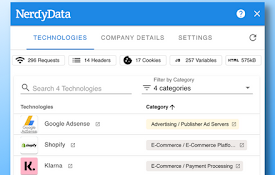
NerdyData Website Inspector
Inspect websites and see what technologies they us

Technology Profiler by SimplyTrends.co
Reveal what websites are built with.Technology Pro

Ful.io - Technology Profiler and lookup
In a click, find out what websites are built with.

Web Scan - Web technology lookup
Discover the libraries and web technologies in any

Analyze-it
Opens various page analytic tools - SEO, CMS, &

Web Application Inspector
Detect web applications and javascript libraries r

W3Techs Website Technology Information
Shows which web technologies the current site is u

Website Technology Checker by Snov.io
Identify site technologies with Snov.io Website Te

BuiltWith Technology Profiler
Find out what the website you are visiting is buil

MageTools: DevTools Reimagined
A faster, easier alternative to DevTools. Find sty

Hexomatic
The no-code, data extraction and work automation p