CaptionSpeaker Chrome 插件, crx 扩展下载
CRX扩展文件安装方法
第1步: 打开Chrome浏览器的扩展程序
第2步:
在地址栏输入: chrome://extensions/
第3步: 开启右上角的【开发者模式】
第4步: 重启Chrome浏览器 (重要操作)
第5步: 重新打开扩展程序管理界面
第6步: 将下载的crx文件直接拖入页面完成安装
注意:请确保使用最新版本的Chrome浏览器
同类插件推荐

SimIntpr - 翻译并读出 YouTube 字幕
翻译 YouTube 视频字幕并读出。 就像 YouTube 虚拟同声传译员一样。SimIntpr

Speak Subtitles for YouTube
Extension convert text subtitles for YouTube into
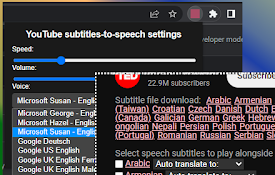
YouTube 字幕阅读器
填补可用软件/扩展的空白,有利于语言学习、盲人和当代文化接触。Allows users to hav

CaptionSpeaker
CaptionSpeaker是chrome扩展程序,可让您通过说出youtube上设置的字幕来收听指
YouTube SubSound
Automatic subtitle dubbing on YouTube.Browser exte

字幕播放器 - 翻译视频的Youtube
字幕播放器。阅读和朗读翻译字幕。视频字幕播放器的新翻译器-在培训和娱乐中变得与原始文件的语言无关。

AI Speak Subtitles for YouTube
Translate and speak subtitles for YouTube into mul

CapTube (Dual Captions for YouTube)
Dual subtitles with AI-enabled translationsDual ca

Speak
Speak lets you use speech-to-text to provide live

YouTube字幕语音和翻译器
使用由 Google 和 Microsoft AI 技術提供支持的擴展程序將 YouTube 的文本

Youtube caption indicator
Ever wondered if a YouTube video is subtitled in y

YouTube字幕配音和网页阅读器
以用户的首选语言配音 YouTube 视频。网页阅读器使用我们的语言配音插件提升您的 YouTube

YouTube™ 双字幕
YouTube 双语字幕,同时显示两种语言字幕,支持自定义样式。YouTube 双语字幕,同时显示两