XNETD Toolbox 2.5 Chrome 插件, crx 扩展下载
CRX扩展文件安装方法
第1步: 打开Chrome浏览器的扩展程序
第2步:
在地址栏输入: chrome://extensions/
第3步: 开启右上角的【开发者模式】
第4步: 重启Chrome浏览器 (重要操作)
第5步: 重新打开扩展程序管理界面
第6步: 将下载的crx文件直接拖入页面完成安装
注意:请确保使用最新版本的Chrome浏览器
同类插件推荐
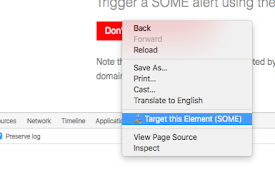
Same Origin Method Execution - Targeting Tool
Returns a string representing a target reference f

tbx: Team Browser Extension
Browse the web together, in real-time.tbx is a bro

Intuitive Password®: Password Manager
Intuitive Password® streamlines your web login exp

Walrus Browser Extension
通过扫描QR码轻松添加OTP,简化你的双因素认证过程。保存密码,实现工作台中应用的快速自动登录。Wa

Nithra Authenticator
Browser extension for Nithra AuthenticatorNithra A

2! Authenticator
Quickly show your 2 factor codes in the browser!Do

XNETD Toolbox 2.5
Authenticator, Password Manager, Web Apps, Passwor

rawkit
Open the node.js devtools from the command-line; n

GitHub submodule links
Hyperlinks submodule hashes and submodule diffs on

Copy URL Buttons in Google Search Results
Makes copying links from google search results fas

FormyMcFormstein OR Hidden Field Enabler
Identify and enable hidden form input elements.Mak

Display Access Keys
Displays hint of access keys next ot the elements.

QueryIO
Ever heard of Google Dorking or Hacking? QueryIO i