编辑并重新发送:Chrome DevTools 中的 Ajax 请求调试器 Chrome 插件, crx 扩展下载
CRX扩展文件安装方法
第1步: 打开Chrome浏览器的扩展程序
第2步:
在地址栏输入: chrome://extensions/
第3步: 开启右上角的【开发者模式】
第4步: 重启Chrome浏览器 (重要操作)
第5步: 重新打开扩展程序管理界面
第6步: 将下载的crx文件直接拖入页面完成安装
注意:请确保使用最新版本的Chrome浏览器
同类插件推荐
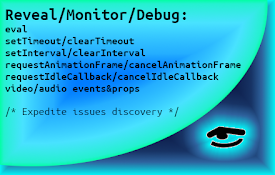
API Monitor
Show active intervals, scheduled timeouts, animati

剪贴板清理器
只需两次单击即可立即清除剪贴板内容,以确保隐私和安全。“剪贴板清理器”是一款简单但功能强大的 Chr
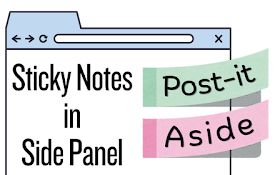
Post-it Aside: 侧面板中的便签
在侧面板中轻松创建快速笔记、备忘录、待办事项或提醒。 让您的日常工作保持专注和井然有序。Post-i

URL Portal: Quick Switch Domain, Path, Params
With one simple click you can change part(s) of th

CSS-WebStyler
AI powered Web Customizer. Customize the design of

Password Disasterisker
Show password in plain text whenever the mouse is
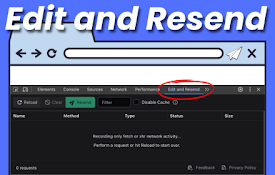
编辑并重新发送:Chrome DevTools 中的 Ajax 请求调试器
使用新标签页增强 Chrome DevTools。 编辑并重新发送 fetch() / XHR 请求

Pesticide for Chrome - The Complete Web Development Booster
var AF_initDataKeys = ["ds:0","ds:1"]; var AF_data

Ajax Interceptor Tools
Modify the response text of Ajax requestsAn extens

TIO Syntax Highlighter
Syntax highlighter for Try It Online (https://tio.

Debug Master: Debugging with ease
Simplify console errors with clear explanations fo

DIG This Deal
Compare prices and find the best deals on new and

Tanuki Utilities
Provide useful utilities for GitLab users.Title ch