In-Site Bookmark Chrome 插件, crx 扩展下载
CRX扩展文件安装方法
第1步: 打开Chrome浏览器的扩展程序
第2步:
在地址栏输入: chrome://extensions/
第3步: 开启右上角的【开发者模式】
第4步: 重启Chrome浏览器 (重要操作)
第5步: 重新打开扩展程序管理界面
第6步: 将下载的crx文件直接拖入页面完成安装
注意:请确保使用最新版本的Chrome浏览器
同类插件推荐

My Bookmarks Alpha
Manage your bookmarks with a simple and clean layo

Cherry Bookmarks
Organize your bookmarks with categories and tags✔

In-Site Bookmark
A simple in-site bookmark manager. Lists bookmarks

append-to-clipboard
Append copied text to the clipboard, optionally wi

Pin: History, Bookmarks & Tabs Manager
Split screen bookmark manager that increases produ

SaveMyClips
SaveMyClips keeps track of things that you copy in

Folderwise Bookmarks: Search & Sessions
Search for Bookmarks by Folder Name, and save Sess
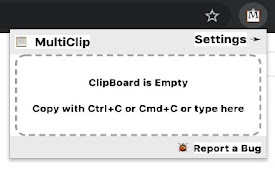
MultiClip
MultiClip 可以方便地将多个项目保存到剪贴板中,在需要时预览并有选择地粘贴它们MultiCl

Searchable Bookmarks Manager
Easily search through your bookmarks, straight fro

Bookmarks HotList
A Speed Dial in your toolbar, with easy set-up and

TabIt - BookMarks: Productivity in Access
Inimitable BookMarks Manager by TabItBookmarks Man

Easy Bookmark Manager Extension
This extension makes it very easy to add new bookm

Bookmark Manager per Domain and Page
A Bookmark Manager to list all bookmarks for the d