Draw on Page Chrome 插件, crx 扩展下载
CRX扩展文件安装方法
第1步: 打开Chrome浏览器的扩展程序
第2步:
在地址栏输入: chrome://extensions/
第3步: 开启右上角的【开发者模式】
第4步: 重启Chrome浏览器 (重要操作)
第5步: 重新打开扩展程序管理界面
第6步: 将下载的crx文件直接拖入页面完成安装
注意:请确保使用最新版本的Chrome浏览器
同类插件推荐

Annotate: Web Annotations with Screen Sharing
Annotate web pages, PDFs, Google Slides, and Googl

Annotate
A simple tool to annotate web pages and share them

SpeeDoodle
Allows the user to doodle using the mouse on a new

Web Paint
Web Paint can draw shapes and add texts to any web
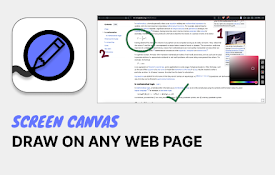
Screen Canvas - Draw on any Web page
Draw on any web page, highlight text blocks, and a

Smart Web Paint for Chrome
Draw on any web page with Smart Web Paint for Chro

繪畫工具和屏幕截圖
繪圖工具可以隨時隨地實時繪製任何內容,在線繪畫。 截取你的繪圖的屏幕截圖。 截圖工具。繪畫工具 -

Web Marker - Draw on Websites
Draw on any webpage in real time! Draw, highlight,

Paint
Add text, draw shapes, paint lines, paint curves,

Draw on Page
Easily draw on any website with simple drawing too

Annotate the Web
Annotate on any webpage and save it as a screensho

Page Marker - Draw on Web
Draw or highlight on any website in real time. Add

Web Paint Tool - 線上繪圖
在任何網頁上繪製矩形、圓形、線條和其他形狀或添加文本,然後截取結果的螢幕截圖。Web Paint T