UXM - Web Performance Monitor (22q3) Chrome 插件, crx 扩展下载
CRX扩展文件安装方法
第1步: 打开Chrome浏览器的扩展程序
第2步:
在地址栏输入: chrome://extensions/
第3步: 开启右上角的【开发者模式】
第4步: 重启Chrome浏览器 (重要操作)
第5步: 重新打开扩展程序管理界面
第6步: 将下载的crx文件直接拖入页面完成安装
注意:请确保使用最新版本的Chrome浏览器
同类插件推荐

signals-devtool
Devtool extension for signalsSignals Devtool is a

UXM - Web Performance Monitor (22q3)
Installed by your IT Organization via UXM Desktop

Layar Web Performance Budget
Extension to show web performance with budget capa

Effortless - Make Focus Your Default
Asks you to clarify what your focus is and to time

Website Status Indicator
Check website availability and update icon color.C
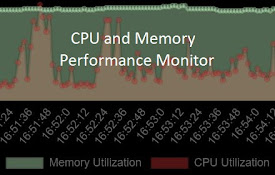
CPU and Memory Performance Monitor
Monitor Memory, CPU utilization & CPU Temp (Ch

GrabzIt Web Monitor
Monitor changes on part of web pages or a whole we

WebGPU Dev Extension
Provide some features helpful for WebGPU Developme

Performance-Analyser
Get insight into the performance of the website in

Front-end Performance Analyzer
[Experiment] Chormium plugin for client-side perfo

Page Performance
Gather site performance metrics using PageSpeed AP

LoadFocus: Page Speed Monitoring
Website Speed Test and Page Speed Monitoring exten

Time-Travel Debugger for The Web
Record, Share & Replay the Web. Step through e