
Tab to Window/Popup - Keyboard Shortcut Chrome 插件, crx 扩展下载

Add a keyboard shortcut to move the current tab to a new window or popup.
3.3.3
- Upgrade to Manifest V3! Extension will continue to work.
- Fix bug where popup windows wouldn't move back into windows
- Fix bug where focus would not be respected
- Fix bug where Focus / Type menus weren't appearing in context menus
- Extension button displays the chosen new window type
3.3.1
- Remove "tabs" permission, as no longer required.
3.3
- Added "Tab To Previous Window" command
3.2
- No longer tries to move tabs into popup or app windows
- Ported to TypeScript
3.0
- Multi-display support!
- Move tabs by clicking the menu button
- Tabs can be moved between existing windows
- Move multiple tabs at once
- Link to tab: right click a link and use the menu
- Convert a window to popup without moving with the Tab to Popup command
- Settings now synced with Chrome profile
- Common options available in menu button menu
2.3
- Support for fullscreen and maximized windows.
- New default keys, which avoid clashes with default Chrome commands
2.2
- Focus on new window
- Pop back in Command
- Open in 'popup' window
- Keep original window position and size
- Clone original window position and size for new window
Earlier
https://github.com/acarabott/tabToWindow/releases
| 分类 | 📝工作流程与规划 |
| 插件标识 | adbkphmimfcaeonicpmamfddbbnphikh |
| 平台 | Chrome |
| 评分 |
★★★★☆
4.1
|
| 评分人数 | 38 |
| 插件主页 | https://chromewebstore.google.com/detail/tab-to-windowpopup-keyboa/adbkphmimfcaeonicpmamfddbbnphikh |
| 版本号 | 3.3.3 |
| 大小 | 186KiB |
| 官网下载次数 | 10000 |
| 下载地址 | |
| 更新时间 | 2024-08-05 00:00:00 |
CRX扩展文件安装方法
第1步: 打开Chrome浏览器的扩展程序
第2步:
在地址栏输入: chrome://extensions/
第3步: 开启右上角的【开发者模式】
第4步: 重启Chrome浏览器 (重要操作)
第5步: 重新打开扩展程序管理界面
第6步: 将下载的crx文件直接拖入页面完成安装
注意:请确保使用最新版本的Chrome浏览器
同类插件推荐

SplitUp! - Tab manager
Have FUN organizing & saving your tabs & w

Convert To Popup
Converts the current tab or link to a popup window

Popup window
Move tab to standalone window, without tabs bar, n
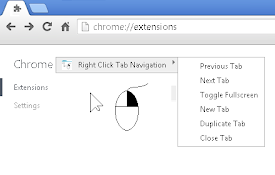
Right Click Tab Navigation
Right Click Tab NavigationAdds these useful tab na

Popout
A simple extension that allows tabs to be opened i

Open-as-Popup
Open the current tab as a popup window.Visit https

Popout Plus
Convert tab(s) into popup groupings. Supports tili

Rearrange Tabs
Allows users to rearrange tabs using keyboard shor

Tab to Window/Popup - Keyboard Shortcut
Add a keyboard shortcut to move the current tab to

Super Focus Tabs
Quickly find out tab/page. Reduce much more time w

Quick Tabs
A keyboard centric most recently used (MRU) ordere

Awesome Window & Tab Manager
Displays a list of all windows and tabs open in Go
Tab-Sidebar
Adds a little Browser-Button which opens a Window