
Lit Prism Chrome 插件, crx 扩展下载
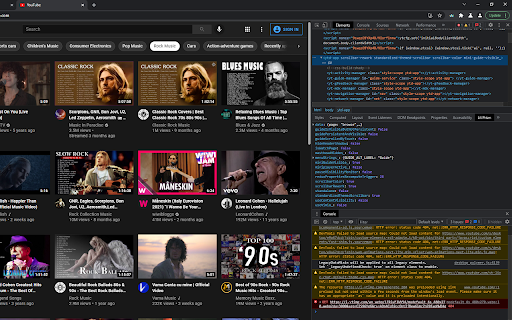
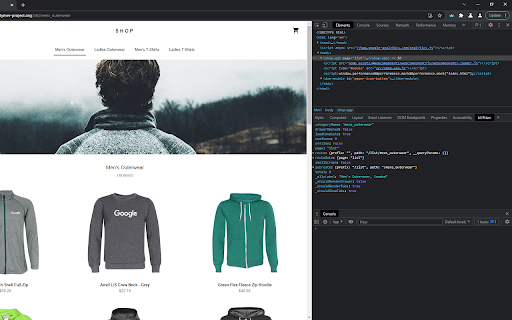
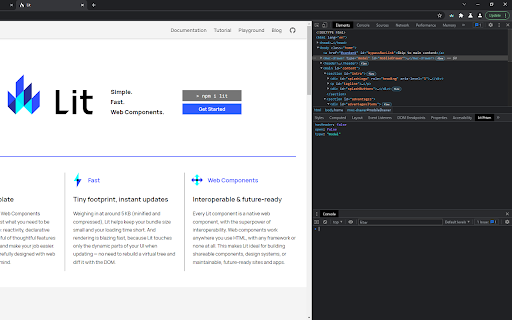
Inspect Lit or Polymer webcomponents 'through a prism'. View and modify component properties on the fly through Chrome DevTools.
Inspect LitElement or PolymerElement webcomponents 'through a prism'. View and modify component properties on the fly through Chrome Developer Tools.
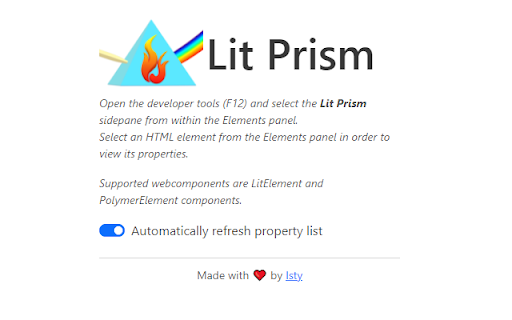
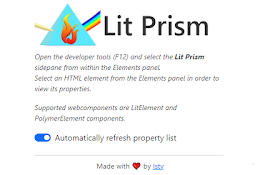
Open the developer tools (F12) and select the Lit Prism sidepane from within the Elements panel. Select an HTML element from the Elements panel in order to view its properties. Currently supported webcomponents are LitElement and PolymerElement components.
The list of properties will refresh automatically whenever a property or a subproperty value changes, and the sidepane will keep the current scroll position.
Due to a developer tools limitation the expanded values cannot be re-expanded after updating the property list. In such cases, it might be useful to toggle the "Automatically refresh property list' switch to 'disabled'.
No data is or will be collected.
Changelog:
v1.2.0 Added support for other types of webcomponents as well, especially for Lit V2 elements. Increased auto refresh interval to 1 second. Grouping webcomponent methods into _FUNCTIONS.
v1.1.1 Minor tweak, added the Lit Message also to arrays, as a first entry, in case it was an array, instead of an object, which contained a circular reference.
v1.1.0 Fixed issue regarding high resource consumption, due to the long process of depth-limited stringification process. Components whose integral list of properties can easily be stringified are returned instantly. For components which contain properties with circular references, the individual data props are analyzed, and only those are truncated, which have circular references. The rest of the props are returned as-is, irrelevant of the depth. An informative message is prepended as a sub-value to the truncated props. Props that are undefined are also listed now, with having the value "undefined" as a string.
v1.0.3 Fixed a bug because of which some Polymer properties which were specified in the component's static properties getter were not listed in the sidepane. Swapped the safeStringify method with an alternative one, which supports depth specification, thus, effectively limiting the JSON stringification process, avoiding endless circular references.
v1.0.2 Fixed a bug because of which array properties of Polymer components were not listed in the sidepane.
Marketplace searchable tags:
litelement, lit-element, lit element, polymerelement, polymer-element, polymer element
| 分类 | 💻开发者工具 |
| 插件标识 | agkgbfkeimkbdljdljinnaomlcjboaie |
| 平台 | Chrome |
| 评分 |
★★★☆☆
3.8
|
| 评分人数 | 150 |
| 插件主页 | https://chromewebstore.google.com/detail/lit-prism/agkgbfkeimkbdljdljinnaomlcjboaie |
| 版本号 | 1.2.0 |
| 大小 | 130KiB |
| 官网下载次数 | 638 |
| 下载地址 | |
| 更新时间 | 2022-08-13 00:00:00 |
CRX扩展文件安装方法
第1步: 打开Chrome浏览器的扩展程序
第2步:
在地址栏输入: chrome://extensions/
第3步: 开启右上角的【开发者模式】
第4步: 重启Chrome浏览器 (重要操作)
第5步: 重新打开扩展程序管理界面
第6步: 将下载的crx文件直接拖入页面完成安装
注意:请确保使用最新版本的Chrome浏览器
同类插件推荐

PolySearch
Go to Omnibox, type 'poly' then name of th

Svelte Reactive Debugger
Monitor svelte reactive statementsSvelteJs makes u

Angular state inspector
Helps you debug Angular component state. Supports

Vue force dev
A tool forces vue to run in developmentEasy to deb
Lit Prism
Inspect Lit or Polymer webcomponents 'through

Custom Elements Locator
This extension will find any custom element on a p

Preact Developer Tools
Adds debugging tools for Preact to ChromeDebugging

Web Component DevTools
Developer tooling for Web Components and Web Compo

Svelte DevTools
Browser DevTools extension for debugging Svelte ap

Vue.js devtools
Browser DevTools extension for debugging Vue.js ap

tweak: mock and modify HTTP requests
Mock or modify your HTTP requests to test, develop

Vue.js devtools (beta)
DevTools browser extension for Vue.jsChrome DevToo

axe DevTools - Web Accessibility Testing
Accessibility Checker for Developers, Testers, and