
Codeforces Helper Chrome 插件, crx 扩展下载
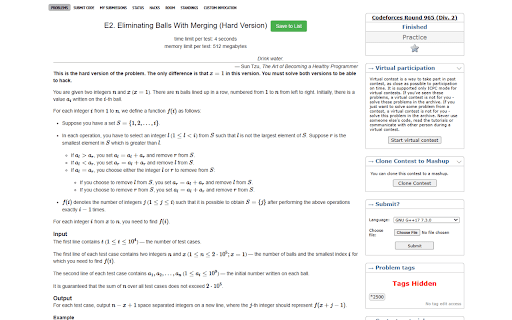
Enhance Codeforces with an easy contest participant checker and user submission rating viewer.
Note: If any particular feature doesn't work, try toggling the feature by clicking on the extension icon
This extension enhances your experience on Codeforces by providing the following features:
1. View Participated Contests:
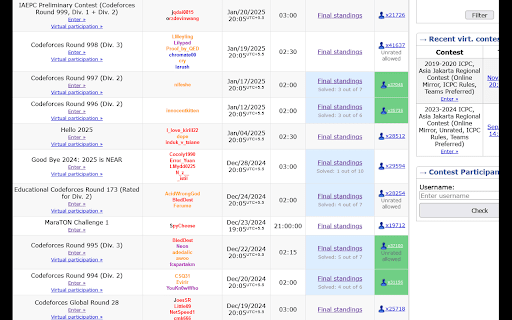
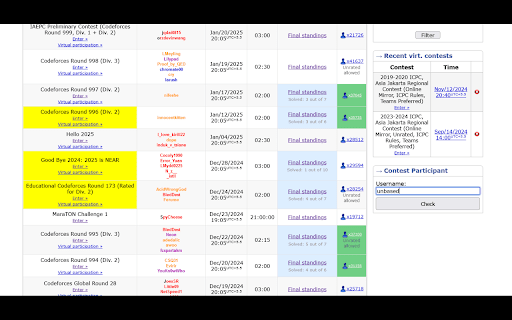
Easily identify the contests you've participated in directly from the /contests page. Additionally, compare your participation with other users by entering their usernames.
2. Question Ratings in Submissions:
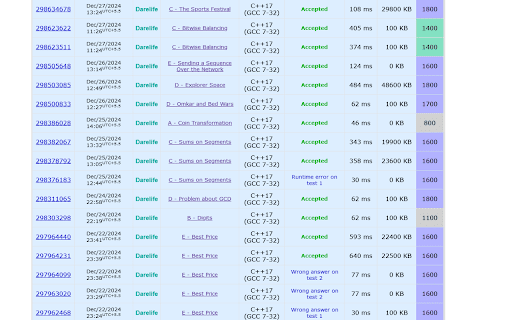
View the ratings of problems directly in the /submissions/<username> page, making it easier to evaluate the difficulty of problems you've solved or attempted.
3. Tag Hider:
Hide all the tags, while just showing the question rating.
4. Save Questions:
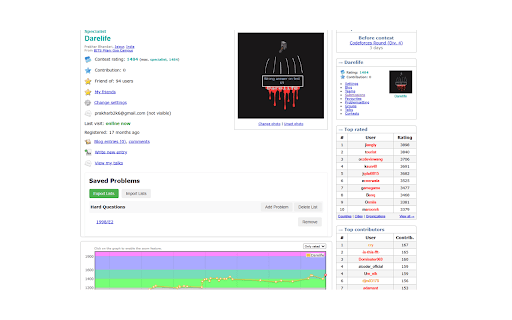
You can now save your favourite questions in various lists, import/export them, and see them all on your profile page.
These features aim to streamline your Codeforces browsing experience by providing useful insights and comparisons at a glance.
| 分类 | ⚙️功能性 |
| 插件标识 | ahoeafmlmoohkkalcickdnkifpfnolpj |
| 平台 | Chrome |
| 评分 |
★★★★★
5
|
| 评分人数 | 4 |
| 插件主页 | https://chromewebstore.google.com/detail/codeforces-helper/ahoeafmlmoohkkalcickdnkifpfnolpj |
| 版本号 | 3.6 |
| 大小 | 349KiB |
| 官网下载次数 | 384 |
| 下载地址 | |
| 更新时间 | 2025-02-27 00:00:00 |
CRX扩展文件安装方法
第1步: 打开Chrome浏览器的扩展程序
第2步:
在地址栏输入: chrome://extensions/
第3步: 开启右上角的【开发者模式】
第4步: 重启Chrome浏览器 (重要操作)
第5步: 重新打开扩展程序管理界面
第6步: 将下载的crx文件直接拖入页面完成安装
注意:请确保使用最新版本的Chrome浏览器
同类插件推荐

Codeforces Notes
Take notes on Codeforces questionsCodeforces Notes

CF Problem Insights
Gives Estimated Problem Rating and User can Hide a
Codeforces Helper
Enhance Codeforces with an easy contest participan

Codeforces POTD
This Extension Gives you a New CF problem to solve

CF World Standings
This extension filters the standings for a given c

Codeforces Friends Tracker
Get submissions of your friends for a particular C

Codeforces Practice Tracker
Track your practice progress on Codeforces.Codefor

Carrot
Rating predictor for CodeforcesCarrot enhances Cod

CF College Standings
Adds a custom standings tab to Codeforces & sh

CF-Predictor
This extension predicts rating changes for Codefor

Codeforces Enhancer
Makes Codeforces better: multiple ratings graph, c

Codeforces++
Codeforces extension packEver wanted Codeforces to

CF Analytics
Analyse Codeforces profilesCF Analytics Chrome ext