
Codeforces Notes Chrome 插件, crx 扩展下载
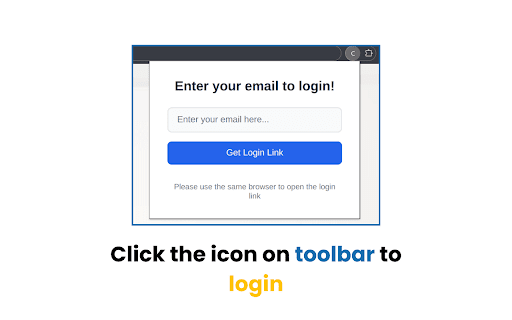
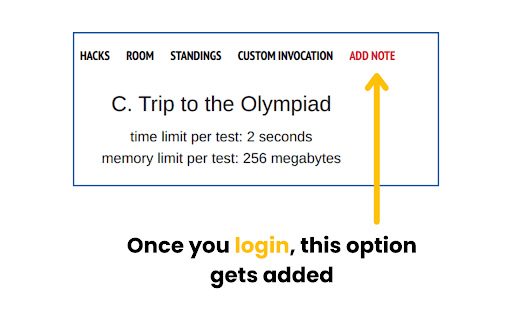
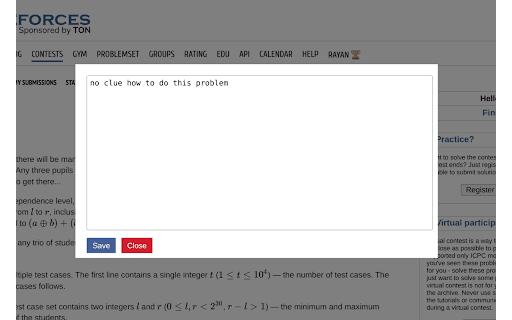
Take notes on Codeforces questions
Codeforces Notes allows you to take notes on the problem page. You can take notes while solving the problem, or after you’ve solved it. Simple, but powerful!
- The idea: Writing “what you learned” once you’ve solved a problem helps you retain the learnings for a long time. This method of practice is used by countless competitive programmers.
- Notes are safe: The notes are attached to your email address, this allows them to be retained across machines and codeforces accounts.
Future updates:
- “Export to CSV” will be added ASAP.
- “All notes” option on your codeforces profile page
| 分类 | 🛠️工具 |
| 插件标识 | opblhodpkchjjlphbdkkcklioeekpmjc |
| 平台 | Chrome |
| 评分 |
★★★★☆
4.8
|
| 评分人数 | 28 |
| 插件主页 | https://chromewebstore.google.com/detail/codeforces-notes/opblhodpkchjjlphbdkkcklioeekpmjc |
| 版本号 | 1.01 |
| 大小 | 16.59KiB |
| 官网下载次数 | 115 |
| 下载地址 | |
| 更新时间 | 2025-01-20 00:00:00 |
CRX扩展文件安装方法
第1步: 打开Chrome浏览器的扩展程序
第2步:
在地址栏输入: chrome://extensions/
第3步: 开启右上角的【开发者模式】
第4步: 重启Chrome浏览器 (重要操作)
第5步: 重新打开扩展程序管理界面
第6步: 将下载的crx文件直接拖入页面完成安装
注意:请确保使用最新版本的Chrome浏览器
同类插件推荐

Codeforces Lite
Codeforces Lite is a powerful Chrome extension des

Codeforces Notes
Take notes on Codeforces questionsCodeforces Notes

Codeforces Helper
Enhance Codeforces with an easy contest participan

cses-enhancer
Enhance your experience of CSES problemset solving

Codeforces POTD
This Extension Gives you a New CF problem to solve

CF World Standings
This extension filters the standings for a given c

Carrot
Rating predictor for CodeforcesCarrot enhances Cod

CF-Predictor
This extension predicts rating changes for Codefor

Codeforces Enhancer
Makes Codeforces better: multiple ratings graph, c

CPH Submit
Codeforces Submit add-on for Competitive Programmi

CF GetRating
Get rating for Codeforces problems even with probl

Competitive Companion
Parses competitive programming problems and sends

CF Analytics
Analyse Codeforces profilesCF Analytics Chrome ext