
Markdown Sticky Notes Chrome 插件, crx 扩展下载


Markdown Sticky Notes web extension
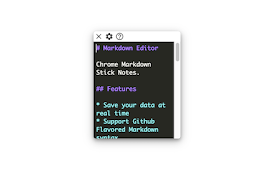
A *Markdown* Sticky Note that can be used in web pages.
Features:
- Create new notes by clicking on the extension icon
- Auto save content and position in the web page
- Nice markdown editor & result
- Draggable, resizable
- Customizing note colors
- Multiple editor theme and font styles
- Shortcut: alt + m (mac: option + m)
(If there are bugs/feature suggestions, please email me or raise an issue on GitHub)
| 分类 | 🛠️工具 |
| 插件标识 | aiakblgmlabokilgljkglggnpflljdgp |
| 平台 | Chrome |
| 评分 |
★★★☆☆
3.4
|
| 评分人数 | 11 |
| 插件主页 | https://chromewebstore.google.com/detail/markdown-sticky-notes/aiakblgmlabokilgljkglggnpflljdgp |
| 版本号 | 0.2.5 |
| 大小 | 1.32MiB |
| 官网下载次数 | 463 |
| 下载地址 | |
| 更新时间 | 2024-10-23 00:00:00 |
CRX扩展文件安装方法
第1步: 打开Chrome浏览器的扩展程序
第2步:
在地址栏输入: chrome://extensions/
第3步: 开启右上角的【开发者模式】
第4步: 重启Chrome浏览器 (重要操作)
第5步: 重新打开扩展程序管理界面
第6步: 将下载的crx文件直接拖入页面完成安装
注意:请确保使用最新版本的Chrome浏览器
同类插件推荐

Sticky Notes
Produces a sticky note that sticks to the tab you

NoteIt
This extension allows you to add notes to any web

stickynote tab
override the new tab page so that user can create

Sticky Notes
Sticky Notes - 记录你的灵感!Sticky Notes - 记录你的灵感! ** U
Markdown Sticky Notes
Markdown Sticky Notes web extensionA *Markdown* St

EasyNotes: The best sticky notes!
Crea notas en las webs que visitas.Organízate mejo

Mini Sticky Notes
Helps to quickly take a note of anything, anytime.

AnyPage Sticky Note
With AnyPage Sticky Note, You can make resizeable

PageMo - Sticky notes & Memo in any page
Add sticky notes on any page, move the sticky note

Note Board Sticky Notes
Simple and very light weight extension,it remind y

Anywhere stickers - simple sticky notes
Attach sticky notes to any pageSingle click sticky

Note Anywhere
Make notes on any web page, any position.After 10

Backnote
Saving text snippets made easy. Call a tab on hotk