
Delete Key for Gmail™ Chrome 插件, crx 扩展下载
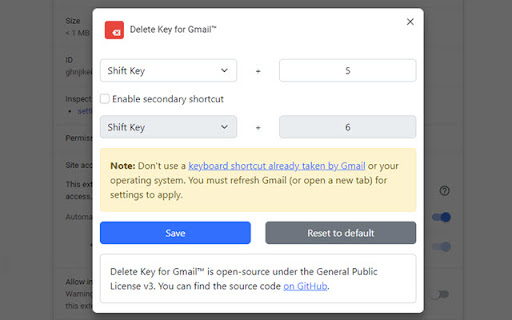
Delete a single email in Gmail™ with a customizable user shortcut (default is Shift + 5).
-= Description =-
Google's Gmail™ has allowed a keyboard shortcut to delete entire message threads (#) for a long time, but it has never made it possible to use a keyboard shortcut to delete individual emails in threads.
Until now.
Enter Delete Key for Gmail™. Press Shift + 5 (% symbol), and voila - only the current individual message is deleted. It performs the same action as clicking the menu button on a message and selecting "Delete this message."
The best part is you can change this shortcut to anything you want from the extension's Options page.
Gmail is a trademark of Google LLC. Use of this trademark is subject to Google Permissions. This extension and its developers are in no way associated with Google LLC.
-= Changelog =-
1.5
- Shortcuts no longer conflict with Gmail's own keyboard shortcuts.
- Updated to Manifest V3
- Settings panel now uses Bootstrap (mostly because Manifest V3 removed chrome_style)
1.4
- Fixed bugs related to the latest Gmail code changes.
1.3:
- Fixed bug where keyboard shortcuts could be activated while typing in some fields.
1.2:
- Added support for a secondary shortcut.
1.1:
- Fixed bug where delete action would fire if the user was typing in a text field.
1.0:
- Initial release.
| 分类 | 📝工作流程与规划 |
| 插件标识 | alpohlaboohebmblbmanccbepncahbda |
| 平台 | Chrome |
| 评分 |
★★★★☆
4.5
|
| 评分人数 | 613 |
| 插件主页 | https://chromewebstore.google.com/detail/delete-key-for-gmail/alpohlaboohebmblbmanccbepncahbda |
| 版本号 | 1.5 |
| 大小 | 45.08KiB |
| 官网下载次数 | 2000 |
| 下载地址 | |
| 更新时间 | 2022-10-18 00:00:00 |
CRX扩展文件安装方法
第1步: 打开Chrome浏览器的扩展程序
第2步:
在地址栏输入: chrome://extensions/
第3步: 开启右上角的【开发者模式】
第4步: 重启Chrome浏览器 (重要操作)
第5步: 重新打开扩展程序管理界面
第6步: 将下载的crx文件直接拖入页面完成安装
注意:请确保使用最新版本的Chrome浏览器
同类插件推荐

Different Gmail Delete Button
Tweaks the Gmail web interface’s delete button.Thi

Better Gmail Buttons
Improve the usability of the Gmail buttons. Avoid

Sender Icons for Gmail™
Add a sender icon for all emails in your Gmail inb
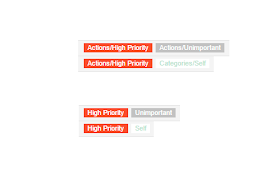
Short Gmail Labels
Shorten your Gmail labels so parent labels are not

Gmail Show Time
Shows full date/time in email listing and detail h

Gmail - Reply at the TOP
Move the reply/compose box to the top of conversat

Toolbox for Google Play Store™
Enhances the Google Play Store™ with various featu

Gmail reverse conversation
The addon which reverse emails in conversation vie
Simplify Gmail
Make Gmail simpler, more capable, and more respect
Delete Key for Gmail™
Delete a single email in Gmail™ with a customizabl

Quick Delete for Gmail
Clean your mailbox 5 times faster. Hover anywhere
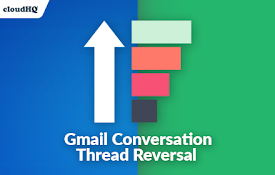
Conversation Thread Reversal for Gmail™ by cloudHQ
How to reverse your Gmail conversation threads to

Gmail Tabs by cloudHQ
将 Gmail 标签或 Gmail 过滤器设置为标签Google automatically org