
SAP Customer Data Cloud toolkit Chrome 插件, crx 扩展下载
Add extra functionality to SAP Customer Data Cloud toolkit console
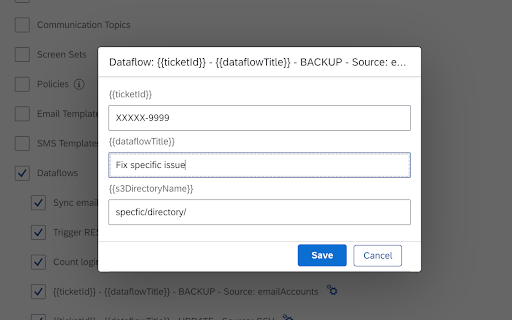
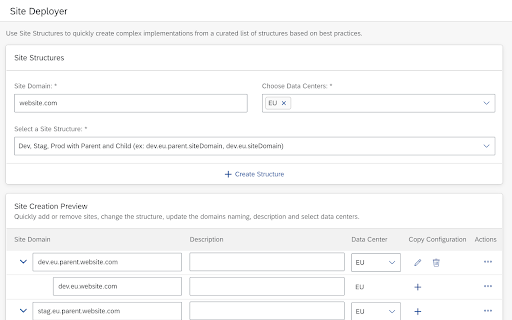
With SAP Customer Data Cloud toolkit for Google Chrome™, you can remove repetitive and manual tasks by implementing best practices while improving quality, productivity and well-being. This app connects to SAP Customer Data Cloud and allows Customer Data Cloud consultants to create big and complex site structure based on template structures based on best practices and faster.
Key features of SAP Customer Data Cloud toolkit for Google Chrome™
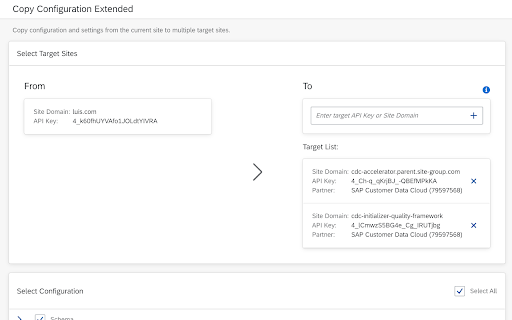
• Copy Configurations: Drastically improves the duration of copying configuration from 1 site to many and adds functionalities to remove manual and time-consuming tasks.
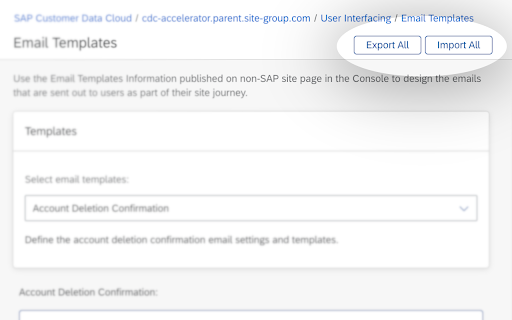
• Export and Import SMS and E-mail Templates : Removes human error from a time-consuming task, saving time and increasing productivity.
• Site deployer integrated with Copy Configuration: Enables to create complex site structures with custom configurations from other sites that already exists according the best practices.
Note: To use SAP Customer Data Cloud toolkit with your business data, you must be a user of SAP Customer Data Cloud, with mobile services enabled by your IT department. You can try out the app first using sample data.
| 分类 | 💻开发者工具 |
| 插件标识 | bdgkgahkohocjopmgdbgjjkagblobafb |
| 平台 | Chrome |
| 评分 |
★★★★★
5
|
| 评分人数 | 1 |
| 插件主页 | https://chromewebstore.google.com/detail/sap-customer-data-cloud-t/bdgkgahkohocjopmgdbgjjkagblobafb |
| 版本号 | 1.9.0 |
| 大小 | 3.05MiB |
| 官网下载次数 | 173 |
| 下载地址 | |
| 更新时间 | 2024-10-03 00:00:00 |
CRX扩展文件安装方法
第1步: 打开Chrome浏览器的扩展程序
第2步:
在地址栏输入: chrome://extensions/
第3步: 开启右上角的【开发者模式】
第4步: 重启Chrome浏览器 (重要操作)
第5步: 重新打开扩展程序管理界面
第6步: 将下载的crx文件直接拖入页面完成安装
注意:请确保使用最新版本的Chrome浏览器
同类插件推荐

SFDC Login
Features: Login to Salesforce Org using session i

OIB Validator
Validate OIBs from context menu with this extensio

LSAT Test Tracker and Helper
Tracks your LSAT test scores over time. Also helps

Hinthint Plugin
This extension will add users wishlist from any we

ChatGPT Prompt History
Prompt History with Arrow Keys for ChatGPT.Using U

SAP Sales Cloud for Gmail
SAP Sales Cloud, server-side integration brings th
SAP Customer Data Cloud toolkit
Add extra functionality to SAP Customer Data Cloud

SAP Addon
Extension for SAP internal webpages: GitHub, Share

SAP CX AI Toolkit
Work faster with an AI copilot that truly understa

Password Converter
Convert your EASY password into DIFFICULT password

SHR
Capture SHRThis browser extension can capture root

FYBR
FYBR: clean inbox clean mindClean inbox. Clean min

Verse Medical Orders
Conveniently submit orders to versemedical.com by