
Upheal Chrome 插件, crx 扩展下载
The best AI notes for mental health professionals.
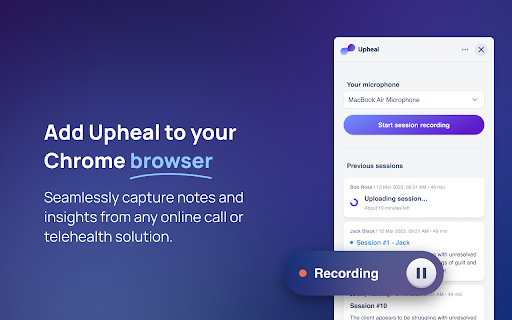
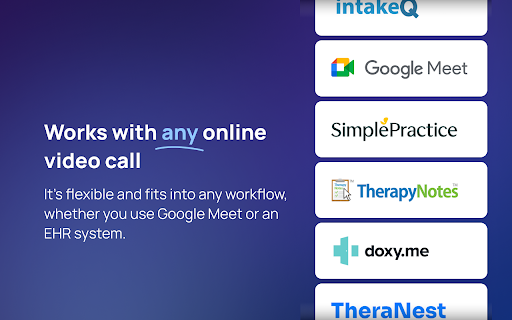
Upheal’s easy way to integrate with all EHRs and online video-calling solutions (e.g. Simple Practice or Google Meet). Get Upheal’s progress notes, whichever online platform you use for your sessions. Just hit record using the Upheal browser extension, and have them automatically turned into progress notes and insights.
- Create Upheal progress notes and insights straight from any online session.
- Keep using the EHR or any online calling platform you love.
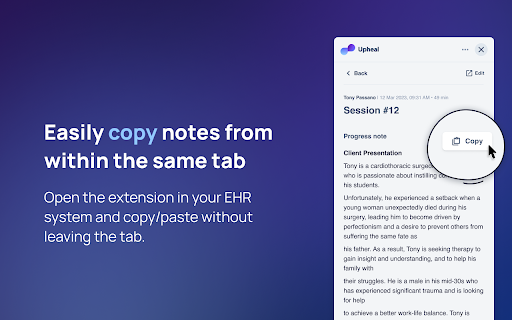
- Seamlessly copy and paste the note content to your EHR from the same tab.
- Edit notes in the Upheal app for instant syncing with the browser extension.
- Setup instantly, it’s fast and easy. Simply sign in and hit “Start session recording.”
WHAT THERAPISTS ARE SAYING
“The browser extension is amazing – I love that I don’t have to give up a platform I value to use this tool. In the brief time I’ve been using Upheal, it has literally changed my outlook on my practice. I was extremely overwhelmed with the amount of paperwork and this has helped me balance my focus on the other admin tasks without being completely distracted from my clinical practice.”
PRICING
A free trial is available to all. Otherwise, the browser extension is a part of Upheal’s Premium and Unlimited plans.
ABOUT UPHEAL
Upheal exists to help mental health professionals find better balance through AI that automates tasks, captures insights, and tracks outcomes for happier, healthier clients. Find out more here: https://www.upheal.io
Disclaimer: Upheal is not officially affiliated with any of the mentioned EHRs and online video-calling solutions.
| 分类 | 🛠️工具 |
| 插件标识 | bdmobenofdjpipjmkjckldjipjhmmpgh |
| 平台 | Chrome |
| 评分 |
☆☆☆☆☆
0
|
| 评分人数 | 9 |
| 插件主页 | https://chromewebstore.google.com/detail/upheal/bdmobenofdjpipjmkjckldjipjhmmpgh |
| 版本号 | 1.1.3 |
| 大小 | 2.05MiB |
| 官网下载次数 | 1000 |
| 下载地址 | |
| 更新时间 | 2025-01-17 00:00:00 |
CRX扩展文件安装方法
第1步: 打开Chrome浏览器的扩展程序
第2步:
在地址栏输入: chrome://extensions/
第3步: 开启右上角的【开发者模式】
第4步: 重启Chrome浏览器 (重要操作)
第5步: 重新打开扩展程序管理界面
第6步: 将下载的crx文件直接拖入页面完成安装
注意:请确保使用最新版本的Chrome浏览器
同类插件推荐
Upheal
The best AI notes for mental health professionals.
Clinical Notes AI
Clinical Notes AI Browser ExtensionThe Clinical No

Blueprint: AI Notetaker
AI NotetakerOverview: Blueprint’s AI Notetaker lis

Assistree
Assistree AI is an AI-powered productivity tool th

JotPsych
A chrome extension for JotPsych, your behavioral h

CleanVid
Elevate and personalize your streaming journey, sa

AEM Navigator Cloud
Useful for AEM developers for easy navigation.Usef

Live Link
Find out if your favorite YouTube creators are liv

Chico State Schedule Helper
Extension that shows professor's rate my profe

Gympass ScreenSaver
Gympass, the ultimate chrome extension that keeps

Michael's Upgrade for TrakED
Upgraded features for TrakED in the THS. (This ext