
Read on reMarkable Chrome 插件, crx 扩展下载
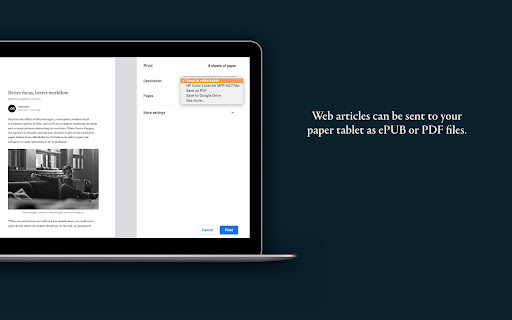
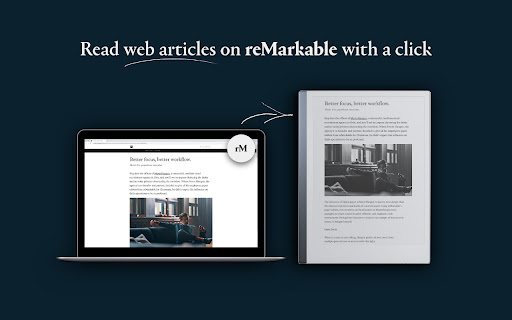
Read web articles on your reMarkable with a click.
It’s now easier than ever to send web content to your reMarkable account. A standard click will send articles in a simplified text format, which also provides more adjustment possibilities. In addition, you have the option to right-click on the extension, to send your article as a PDF. Once the content is on your reMarkable account, you’ll be able to read and annotate without distractions on your paper tablet.
Good to know before installing:
* If you don’t already have an account at my.remarkable.com, you’ll need to create one
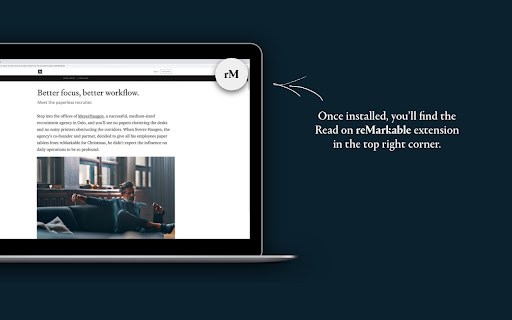
* Once installed you’ll find the extension icon at the top right of your Chrome window, beside the address bar
* Be mindful that each website has its own way of displaying content, which may change the formatting when it appears on your reMarkable account
| 分类 | 📝工作流程与规划 |
| 插件标识 | bfhkfdnddlhfippjbflipboognpdpoeh |
| 平台 | Chrome |
| 评分 |
★★★☆☆
3.3
|
| 评分人数 | 292 |
| 插件主页 | https://chromewebstore.google.com/detail/read-on-remarkable/bfhkfdnddlhfippjbflipboognpdpoeh |
| 版本号 | 1.2.6 |
| 大小 | 1.04MiB |
| 官网下载次数 | 400000 |
| 下载地址 | |
| 更新时间 | 2023-12-14 00:00:00 |
CRX扩展文件安装方法
第1步: 打开Chrome浏览器的扩展程序
第2步:
在地址栏输入: chrome://extensions/
第3步: 开启右上角的【开发者模式】
第4步: 重启Chrome浏览器 (重要操作)
第5步: 重新打开扩展程序管理界面
第6步: 将下载的crx文件直接拖入页面完成安装
注意:请确保使用最新版本的Chrome浏览器
同类插件推荐
适用于 Google Chrome™ 的 Send to Kindle
现在,发送新闻文章和博客帖子等网络内容到您的 Kindle 设备或阅读应用上并进行阅读,比以往更加简

FoundersCard Chrome Extension
Easily discover, access, and redeem your member be

Toggl Track: Productivity & Time Tracker
Puts a timer into any web tool and allows quick re

rePub
reMarkable ePubRead web articles on your reMarkabl

Read on reMarkable
Read web articles on your reMarkable with a click.

Asana
Easily create and search for Asana tasks from anyw

Gmail版Todoist
使用Gmail版Todoist管理邮件Todoist被The Verge评为“当前最佳任务清单”,两

ClickUp: Tasks, Screenshots, Email, Time
ClickUp is a productivity platform that makes your
Calendly: Meeting Scheduling Software
Schedule meetings without the hassle. Never get do

Instapaper
Instapaper browser extension to save links for off

Matter
Save articles to your Matter accountMatter: Save,

Notion Web Clipper
Use our Web Clipper to save any website into Notio

Readwise Highlighter
Save a page to Readwise ReaderThis is the official