
Screen GIF Maker: Google Animation Creator Chrome 插件, crx 扩展下载
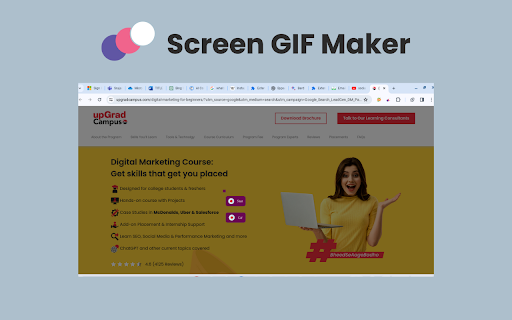
Create GIFs Easily
Say goodbye to static images and hello to captivating GIFs! ?️? Install our Screen GIF Maker Chrome extension to make stunning GIFs in no time, all right inside your browser. ?✨ Capture hilarious memes, showcase product demos, or add a little spark to your presentations. ?? Let your creativity flow with ease! ?
Key features of Screen GIF Maker chrome extension ?
Instant GIF Creation: Make it easy to talk about the workflow – select an area, modify, and create GIFs within seconds without needing editing skills. ?
Universal Capture: Focus on grabbing anything – webpages, videos, desktop screens; perfect for tutorials, reactions, etc. ?️?
Customization Freedom: Mention adjustable duration, frame rate, captions, and even additional editing features for creating a personalized GIF. ??
Social Media Powerhouse: Focused on shareability – upload to platforms directly, increase interaction, and grab attention. ??
Beyond Fun: Demonstrate applicable cases – improve presentations, reports, bug demos, and facilitate communication. ???️
Accessibility King: Emphasize ease of use – suitable for all user skills, no technical expertise needed. ?????
How to use: ?
1. Navigate to the Chrome Web Store. ?
2. Search for the "Screen GIF Maker Chrome extension." ?
3. Install the extension and effortlessly click "Add to Chrome." ✅
4. Once successfully installed, open any webpage or play a video. ??
5. Click on the extension icon. ?️
6. Explore the "Create GIF" option. ?
7. Click the left mouse button and drag across desired sections for GIF recording. ?️?
8. During recording, choose between the "Start" and "GIF" options. ?
9. Opt for the "Start" option to record everything you need, even from playing videos. ??
10. Download and share your captured GIFs effortlessly with anyone as needed. ???
| 分类 | 🛠️工具 |
| 插件标识 | bkgdbkfbbpagdomghecnaeljhdfiemeb |
| 平台 | Chrome |
| 评分 |
★★★★★
5
|
| 评分人数 | 2 |
| 插件主页 | https://chromewebstore.google.com/detail/screen-gif-maker-google-a/bkgdbkfbbpagdomghecnaeljhdfiemeb |
| 版本号 | 1.1 |
| 大小 | 256KiB |
| 官网下载次数 | 116 |
| 下载地址 | |
| 更新时间 | 2024-04-16 00:00:00 |
CRX扩展文件安装方法
第1步: 打开Chrome浏览器的扩展程序
第2步:
在地址栏输入: chrome://extensions/
第3步: 开启右上角的【开发者模式】
第4步: 重启Chrome浏览器 (重要操作)
第5步: 重新打开扩展程序管理界面
第6步: 将下载的crx文件直接拖入页面完成安装
注意:请确保使用最新版本的Chrome浏览器
同类插件推荐
Animate Banner Control - Dev
Tool to control banners used by Adobe Animate, usi

SuperGIF
This Chrome extension bundles SuperGIF class from

3D Kaleidoscope Animation
Realize 3D kaleidoscope animation special effectsR
One Signer
Sign your PDF files digitally with free online PDF
Video to Animated GIF
Converts the YouTube, Vimeo, webm, ogv or mp4 vide

gif制作器 | gifzz
在YouTube,Facebook,Instagram,Netflix和其他视频服务上创建动画gif

GIF Maker
Create animated GIFs from existing video file(s) o

录制Gif
将页面中选中的区域录制成gif动图这是一个小工具,可以帮助您将动画、视频以及浏览器页面上的所有其他内

GIF Maker in Google Chrome™
Make animated GIF from static photos.Want to make

Screen GIF Maker: Google Animation Creator
Create GIFs EasilySay goodbye to static images and

Visual Animation Generator
Add animations to your website visually, no coding

Kompositor
Design web animations with ease. Dive into 3D tran

Input Ninja
Action flows to create Trello cards, Notion pages,