
SuperGIF Chrome 插件, crx 扩展下载
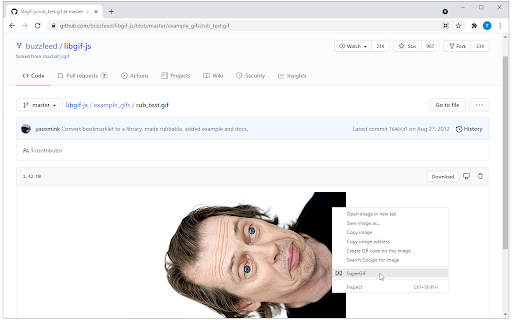
This Chrome extension bundles SuperGIF class from libgif-js and brings basic play controls for animated gifs into your browser.
Main purpose of this extension is to improve user experience when watching long animated gifs in a browser. Typical user is someone who watches screen capture converted into animated gif and wishes to pause the animation to focus on some detail on currently captured screen. This rather trivial task is not really straightforward as there are no pause/resume controls built-in.
This extension adds "SuperGIF" context menu to GIF images on the currently visited site. When triggered, image is parsed into individual frames and replaced with canvas that plays the animation frame by frame. User can then pause/resume or seek by clicking on the canvas.
For a simple example, install the extension and test it on this animated gif: https://github.com/buzzfeed/libgif-js/blob/master/example_gifs/rub_test.gif .
Under the hood this extension bundles SuperGIF class from libgif-js project and adds little bit of custom logic to registered event handlers.
| 分类 | 💻开发者工具 |
| 插件标识 | mjdfacapckkijfkjopiadlgnooegojne |
| 平台 | Chrome |
| 评分 |
★★★☆☆
3.2
|
| 评分人数 | 103 |
| 插件主页 | https://chromewebstore.google.com/detail/supergif/mjdfacapckkijfkjopiadlgnooegojne |
| 版本号 | 0.0.2 |
| 大小 | 294KiB |
| 官网下载次数 | 92 |
| 下载地址 | |
| 更新时间 | 2021-07-25 00:00:00 |
CRX扩展文件安装方法
第1步: 打开Chrome浏览器的扩展程序
第2步:
在地址栏输入: chrome://extensions/
第3步: 开启右上角的【开发者模式】
第4步: 重启Chrome浏览器 (重要操作)
第5步: 重新打开扩展程序管理界面
第6步: 将下载的crx文件直接拖入页面完成安装
注意:请确保使用最新版本的Chrome浏览器
同类插件推荐
Gif togglify for Diaspora*
Togglify animated GIFs inside the Diaspora* stream
SuperGIF
This Chrome extension bundles SuperGIF class from

Gifnope
This extension allows you to stop annoying gifs in
Stop Animations
Stops distracting animations.Great at stopping ani
GIF Blocker
Block GIF and WebP animation images on HTML pages

GIF Player by nbagifs.com
Play online gif frame by frame.Gif在线播放器,主要用于逐帧,倒序,
Gif Frames
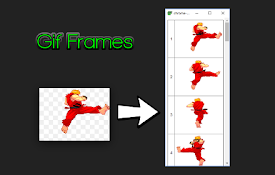
Extract frame images from animated GIFsThis is a c

动画政策
仅运行一次动画,或完全停用动画。Disable all image animations, or m

GIF Scrubber
GIF scrubber is like a movie player for animated G

Show Video Controls by Default
Extension lets you show control buttons by default

YouTube™ In GIFs
Redirects you to the awesome GIF YouTube™ service

Chrome Video To GIF
FREE FOR A LIMITED TIME ONLY This allows you to d

Load GIFs faster with gfycat
This lightweight extension simply adds a right-cli