
Show Video Controls by Default Chrome 插件, crx 扩展下载
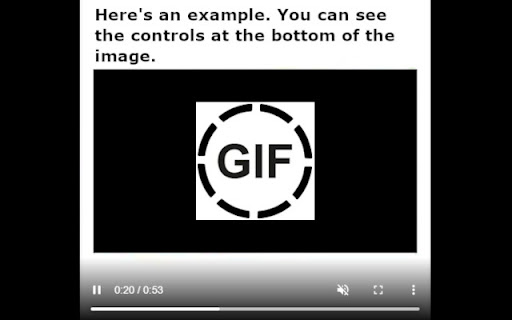
Extension lets you show control buttons by default when playing video or gifs.
The extension turns on video or gif player controls by default.
Useful when browsing meme sites such as 9gag.
No need to press the right mouse button and then "show controls".
They will appear by default for each media.
| 分类 | ♿无障碍访问 |
| 插件标识 | ngnnpfgkhpmcofcobdobhjnjmoglkhhe |
| 平台 | Chrome |
| 评分 |
★★★☆☆
3.7
|
| 评分人数 | 257 |
| 插件主页 | https://chromewebstore.google.com/detail/show-video-controls-by-de/ngnnpfgkhpmcofcobdobhjnjmoglkhhe |
| 版本号 | 1.0 |
| 大小 | 8.66KiB |
| 官网下载次数 | 2000 |
| 下载地址 | |
| 更新时间 | 2022-07-12 00:00:00 |
CRX扩展文件安装方法
第1步: 打开Chrome浏览器的扩展程序
第2步:
在地址栏输入: chrome://extensions/
第3步: 开启右上角的【开发者模式】
第4步: 重启Chrome浏览器 (重要操作)
第5步: 重新打开扩展程序管理界面
第6步: 将下载的crx文件直接拖入页面完成安装
注意:请确保使用最新版本的Chrome浏览器
同类插件推荐

GIF Scrubber
GIF scrubber is like a movie player for animated G

9GAG Controls
Provides control functions for 9GAG.This extension
Show Video Controls by Default
Extension lets you show control buttons by default

Facebook Video Controls
Enable video controls on Facebook reels and storie

Controls for YouTube™ Shorts
Add controls for videos of YouTube™ shorts, includ

AutoplayStopper
Stops video autoplay gracefully.Make video players

Controls for Instagram Videos
Adds video playback controls to Instagram videos e

HTML5 Video Keyboard Shortcuts
Add keyboard support to Chrome's native HTML5
East Control
An extension that allows easy control of various m

HTML5 Video Controller
This extension provides additional controls to You
OVC - One Video Control
One Video Control to rule them all - redefining vi

Video Dominator
Hover over any video, hold the right mouse button

Universal Video Player Controls
This extension lets you quickly seek video playbac