
Relation ONE Chrome 插件, crx 扩展下载
Make web3 easy for everyone
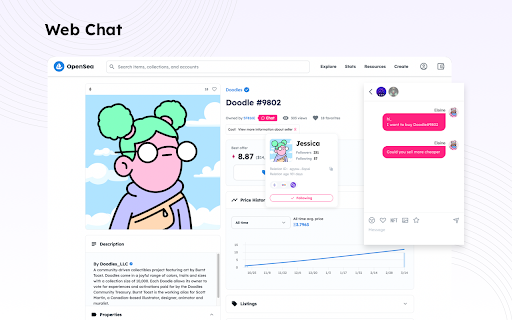
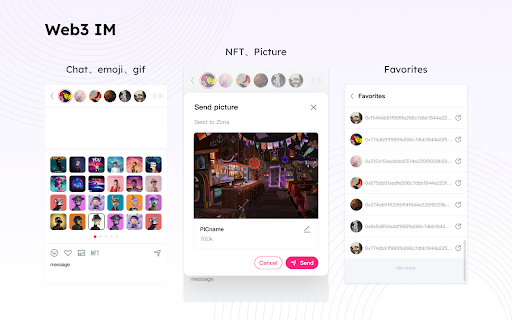
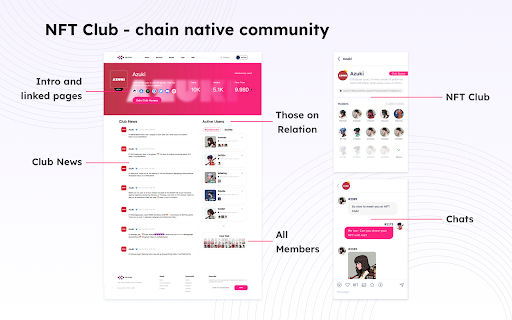
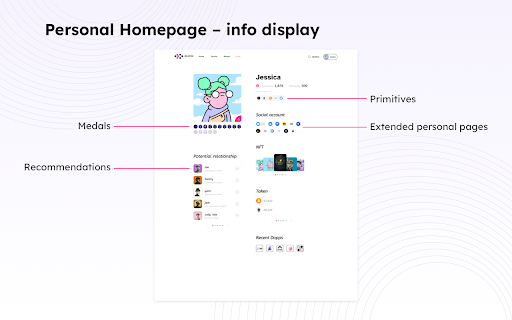
Relation ONE is a social network application for Web3 users to manage their homepage and social relations data. Users can discover contacts, find like-minded communities, and join NFT clubs on-chain. Its one-stop social network features include: Profile management, on-chain identity management, address book, instant messaging and group chats, DAO, NFT avatar, and game invitation and score ranking. Recently, we launched Bazaar and Web3 homepage. With these encompassing tools, users can view network information relating to more than several millions of social relations graphs and locate their friends on-chain. The platform also provides information like recommended users, NFT Club, Dapps, Global Social Graph, and others. Based on these social relations data, we have provided a myriad of social network services.
It's your All-in-one Web3 matrix.
-Primitives
Web3 addresses
Web2 accounts
-Appearance
NFT avatars
Metaverse avatars
-Web3 Footprint
When you first generated a Web3 address
When you first held an NFT avatar
Whom you make transactions with
Your user-centric Web3 social graph
Your dApps and authorizations given
-Decentralized Community
The PFP chatting group
The metaverse chatting group (auto-verified by land/game asset/avatar holdings )
The community group (auto-verified by subscriptions or domain name, etc)
-Data Insight
Your holding NAV
Airdrop and NFT whitelisting expectations
Favourite and most frequently visiting dApps
Characters
Reputation
To know more about us, please refer to https://relationlabs.ai/
| 分类 | 📝工作流程与规划 |
| 插件标识 | bmabahhenimmnfijaiccmonalfhpcndh |
| 平台 | Chrome |
| 评分 |
★★★★☆
4.9
|
| 评分人数 | 1673 |
| 插件主页 | https://chromewebstore.google.com/detail/relation-one/bmabahhenimmnfijaiccmonalfhpcndh |
| 版本号 | 0.7.15 |
| 大小 | 10.18MiB |
| 官网下载次数 | 6000 |
| 下载地址 | |
| 更新时间 | 2024-12-04 00:00:00 |
CRX扩展文件安装方法
第1步: 打开Chrome浏览器的扩展程序
第2步:
在地址栏输入: chrome://extensions/
第3步: 开启右上角的【开发者模式】
第4步: 重启Chrome浏览器 (重要操作)
第5步: 重新打开扩展程序管理界面
第6步: 将下载的crx文件直接拖入页面完成安装
注意:请确保使用最新版本的Chrome浏览器
同类插件推荐
Bitfinity Wallet
A wallet for managing your tokens.================

Suiet | Sui Wallet
The Sui wallet for everyone, built on Sui blockcha

SwapChat
Cross-platform messaging service.Cross-platform ch
Relation ONE
Make web3 easy for everyoneRelation ONE is a socia

PIP
Bringing Web 3 to EveryoneSimplify Your WEB3 Payme

Moso: Shop and Earn Crypto
Moso is a web3 shopping assistant that allows you

Plug
Your plug into the Internet Computer ecosystemMeet

Taho
The community owned and operated Web3 wallet.Taho

Manta Wallet
A private wallet for public and private assets tha

Martian Aptos & Sui Wallet Extension
Martian is a self-custodial crypto wallet for Apto

Braavos
适用于 Starknet 的 Braavos 智能钱包可以轻松管理您的资产并从您的浏览器安全地访问去

Petra Aptos Wallet
A crypto wallet on Aptos.Petra wallet is an extens

Compass Wallet for Sei
A crypto wallet for Sei Blockchain, brought to you