
Sort My Classes Chrome 插件, crx 扩展下载
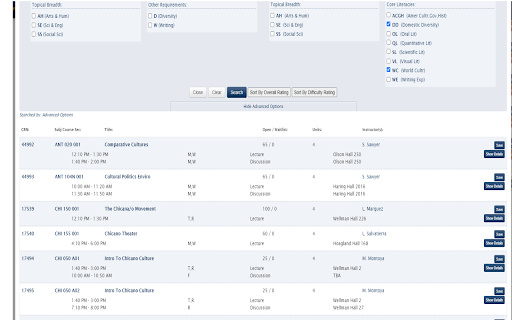
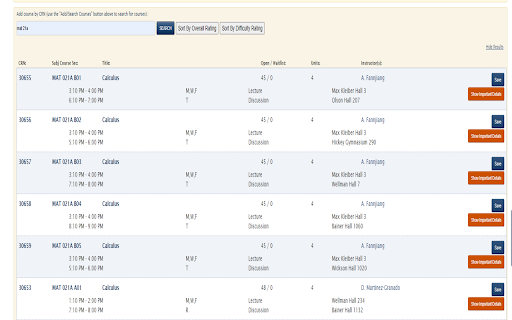
Sort the classes on schedule builder based on ratings of professors!
When students search for courses to register, they often pick courses based on the overall or difficulty rating (from ratemyprofessors) of the professor of the class. This extension allows a student to sort all the classes they search for by the ratings of the professors.
This is extremely convenient when looking for courses to sign up for. Many students, including me, repeatedly search up the rate-my-professor scores for each course, which can get extremely time consuming when there are many course options you could take. Now, all you need to do is click one button, and all the possible classes you can take are sorted by ratings of the professors. Then, all you need to do is look at the top few classes to register.
This will save you so much time when searching for the best or easiest courses to take. During registration for the Fall Quarter 2021, I needed to find a G.E that fit certain requirements and had a highly rated professor. The problem was that there were so many options, and so I found myself wasting 3-5 hours just scouring through rate my professor. If I had this extension, my work would have been done in a few seconds. I hope this extension can provide you with similar time efficiency.
| 分类 | 📝工作流程与规划 |
| 插件标识 | bnidhdgmmbkcagojcfopaeedlnbnlhfe |
| 平台 | Chrome |
| 评分 |
☆☆☆☆☆
0
|
| 评分人数 | 19 |
| 插件主页 | https://chromewebstore.google.com/detail/sort-my-classes/bnidhdgmmbkcagojcfopaeedlnbnlhfe |
| 版本号 | 0.2 |
| 大小 | 910KiB |
| 官网下载次数 | 132 |
| 下载地址 | |
| 更新时间 | 2022-05-04 00:00:00 |
CRX扩展文件安装方法
第1步: 打开Chrome浏览器的扩展程序
第2步:
在地址栏输入: chrome://extensions/
第3步: 开启右上角的【开发者模式】
第4步: 重启Chrome浏览器 (重要操作)
第5步: 重新打开扩展程序管理界面
第6步: 将下载的crx文件直接拖入页面完成安装
注意:请确保使用最新版本的Chrome浏览器
同类插件推荐

UC Davis Schedule Helper
Finds conflicts in your schedule, so you don't

Schedule Helper Updated
Improve UC Davis Schedule Builder with ✨color-code

Schedule Builder Export
This extension allows exporting from UC Davis Sche
Bb Collab - Lexer
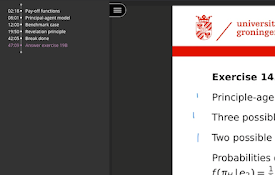
Your Lecture Indexer for Blackboard Collaborate.Le

Octagon Find
Extension adding Octagon Find search engine to Chr

Home Shortcut
Adds a keyboard shortcut for going to a site's

Any School Rate My Professors Extension
Shows the Rate My Professors rating of professors
Sort My Classes
Sort the classes on schedule builder based on rati

UC Schedule Helper
Load RateMyProfessor ratings on the UC Davis sched

Rate My Professor Helper
Display your college's professor ratings direc
Todo Canvas Beta (Task Canvas)
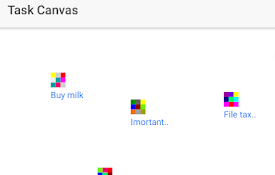
Get things doneTask management canvas. Not your gr

RMP Schedule Builder Links
Get links to the ratemyprofessor pages for the pro

Snap Environment Switcher
Switch between environments and modes in complex s