
Browser Automaton Chrome 插件, crx 扩展下载
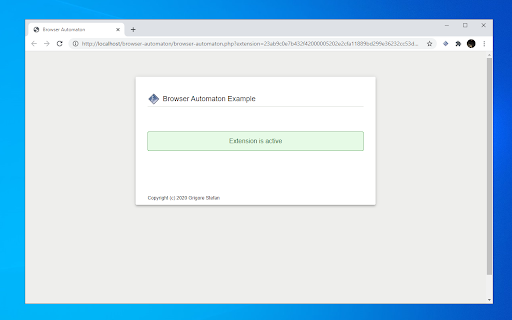
Run remote script to do browser automation
This extension allows to run remote script to do browser automation!
The script to be run in the browser must be provided by an website with a specified signature in URL and page. That website must be allowed in the options page.
Can be used by the software developers to create specific services for their application/website.
Source code is provided at https://github.com/xyo-security/browser-automaton
By installing this extension you agree to the Terms and Conditions found at https://xyosecurity.ro/browser-automaton/ , also you agree to Privacy Policy found at https://xyosecurity.ro/privacy-policy/ and Cookie Policy found at https://xyosecurity.ro/cookie-policy/
| 分类 | 💻开发者工具 |
| 插件标识 | ccchboloojckhbjbdchaclhdolofpckn |
| 平台 | Chrome |
| 评分 |
★★★★★
5
|
| 评分人数 | 1 |
| 插件主页 | https://chromewebstore.google.com/detail/browser-automaton/ccchboloojckhbjbdchaclhdolofpckn |
| 版本号 | 3.5 |
| 大小 | 94.54KiB |
| 官网下载次数 | 2000 |
| 下载地址 | |
| 更新时间 | 2022-02-07 00:00:00 |
CRX扩展文件安装方法
第1步: 打开Chrome浏览器的扩展程序
第2步:
在地址栏输入: chrome://extensions/
第3步: 开启右上角的【开发者模式】
第4步: 重启Chrome浏览器 (重要操作)
第5步: 重新打开扩展程序管理界面
第6步: 将下载的crx文件直接拖入页面完成安装
注意:请确保使用最新版本的Chrome浏览器
同类插件推荐

E2E Test Builder
An extension which allows you to record interactio

QARA Testcase Recorder
Build 270219.01 Copyright @ The Digital Group Inc.
Browser Automaton
Run remote script to do browser automationThis ext

macro_railroad
Generate syntax diagrams for `macro_rules!()` on d

自动操作魔法师
自动操作魔法师和谷歌浏览器之间的连接器,为执行网页自动化任务提供支持。A module of Mac

FeatherTest - Website Automated Tests
Fast and easy Website Automated Testing and Macros
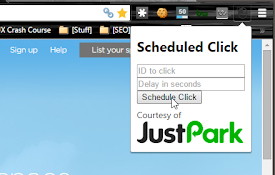
Scheduled Click
This extension allows you to schedule a click on a

Robotcorder
A Robot that records user action and scans the pag

SiteMacro
Record macros to automatically perform actions or

Embtion - Web Browser Automation
Automate web browser through connecting nodes, no

Record/Replay
Browser automation package. Easy to use and open s

Automation
Create automated scenarios.Record user's inter

Chromium browser automation
Extension for automating chromium browser, Create