
Highlightion - 将 Highlights 保存到 Notion Chrome 插件, crx 扩展下载
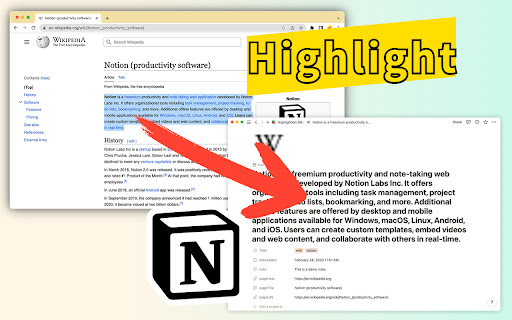

将任何网页上 Highlight 的内容保存到 Notion 数据库。
Highlightion是一种工具,可将您在任何网页上做出的高亮与Notion数据库同步。
Notion是一个包含笔记、任务、维基和数据库的全能工作区。如果您还没有使用Notion,现在应该开始了。
Notion数据库非常适合存储您所有的高亮片段。使用Highlightion,每个单独的高亮都会作为一个项目或页面存储在Notion数据库中。
✅ 在网页上高亮某些内容后,您可以将高亮内容与其他属性(如页面URL、标签和备注)一起发送到Notion数据库。
✅ 然后,您可以在Notion数据库内查看保存的高亮内容。
✅ 您还可以创建不同的Notion数据库视图来组织您的高亮内容。
✅ 还可以与他人共享Notion数据库。
我们希望这个同步工具能帮助您提高效率,让您的生活更轻松愉快。
? 如果您有任何问题或建议,请通过[email protected]与我们联系。
| 分类 | 📝工作流程与规划 |
| 插件标识 | chadjfleiefolhngbpkdpdhajbkhpaij |
| 平台 | Chrome |
| 评分 |
★★★★☆
4.6
|
| 评分人数 | 181 |
| 插件主页 | https://chromewebstore.google.com/detail/highlightion-将-highlights/chadjfleiefolhngbpkdpdhajbkhpaij |
| 版本号 | 1.3.0 |
| 大小 | 404KiB |
| 官网下载次数 | 502 |
| 下载地址 | |
| 更新时间 | 2023-03-22 00:00:00 |
CRX扩展文件安装方法
第1步: 打开Chrome浏览器的扩展程序
第2步:
在地址栏输入: chrome://extensions/
第3步: 开启右上角的【开发者模式】
第4步: 重启Chrome浏览器 (重要操作)
第5步: 重新打开扩展程序管理界面
第6步: 将下载的crx文件直接拖入页面完成安装
注意:请确保使用最新版本的Chrome浏览器
同类插件推荐

Highlights to Notion
Save highlighted text to NotionHighlights to Notio

Notion Quick Notes
Utilities for easy note taking with NotionHelps wi

Notion助手
Notion 工具, 快速添加链接稍后阅读Notion助手 ≡ 特性 - 右键保存当前页面或超链接到

Notion Sidebar Expander
Expands Notion Sidebar items to reveal the current
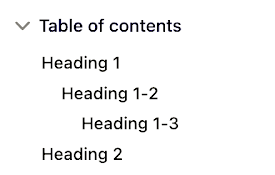
Notion Table of Contents (Outline)
Show table of contents (outline) in the sidebar fo

Highlightion - 将 Highlights 保存到 Notion
将任何网页上 Highlight 的内容保存到 Notion 数据库。Highlightion是一种

Notion Highlighter
A chrome extension for saving highlighs to your no

SideNotion
Turn Notion into your online lecture sidekick.Reco

Notion Search
Search Notion pages on the popupSearch Notion page
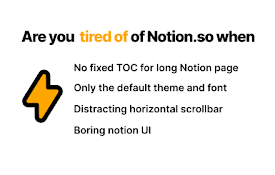
Notion Power
Numerous customization features, enhancing UX/UI f

Notix: Notion Web Clipper
Save the Web to Notion. Use AI to create summaries

Notion Boost
Boost Notion productivity with 20+ customizations

Save to Notion
Save the Web to Notion≡ Features - ? Save web art