
WebextLLM Chrome 插件, crx 扩展下载
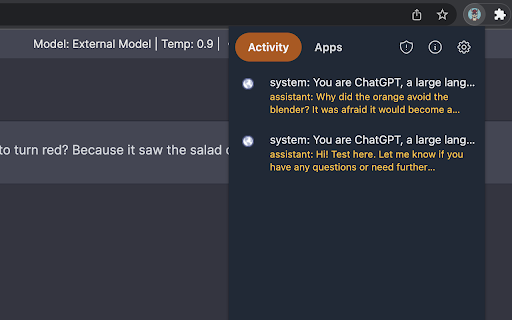


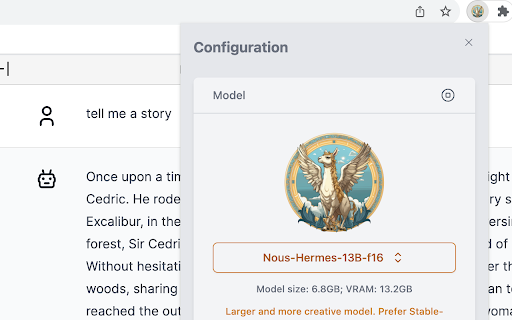
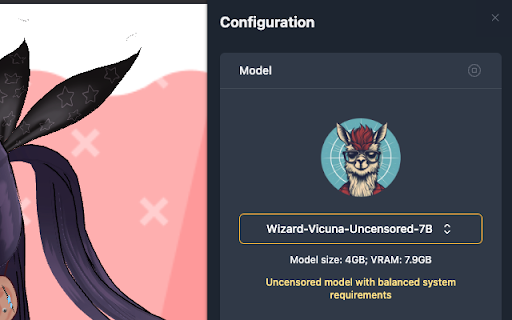
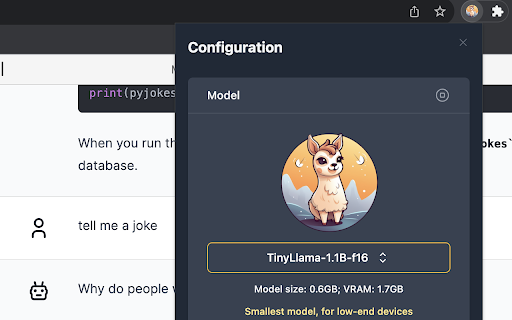
Browser-native LLMs at your fingertips
Unleash the Power of AI in Your Browser!
WebextLLM is the first extension to embed large language models in the browser. The LLMs run in an isolated environment within the extension with zero configuration or external dependencies, making it the easiest method to run local inference on any platform (with 7 supported LLMs for you to choose from!).
Experience a growing ecosystem of AI-based applications (with window.ai) as a user, and fuel it further as an application developer.
Key Features
* Own your models: Experience the freedom of owning your LLMs, enjoying a limitless, offline, private, and secure environment
* Control: Exercise complete control over access to your LLM, granting or denying permission to any application at any time
* Visibility: Gain insights into the history of prompts and responses to your model across different applications
Why should you use WebextLLM? It's:
1. Free: The model runs on your hardware, eliminating the need for costly service providers
2. Private: Your data remains securely on your device, safeguarding your privacy
3. Unlimited: Take full control of the model without any quotas, censorship, or limitations
4. Highly available: Overcome limitations of internet connectivity and cloud-based LLM availability
Disclaimer
This extension is a proof-of-concept using experimental technologies. It is not recommended for production. By using this software, you assume all risks, including potential data loss, system failure, or other issues. The models and applications featured in this project are not endorsed by the author and the author is not responsible for any issues arising from their use.
| 分类 | 📝工作流程与规划 |
| 插件标识 | chbepdchbogmcmhilpfmijbkfpplgnoh |
| 平台 | Chrome |
| 评分 |
★★★☆☆
3
|
| 评分人数 | 2 |
| 插件主页 | https://chromewebstore.google.com/detail/webextllm/chbepdchbogmcmhilpfmijbkfpplgnoh |
| 版本号 | 0.3.1 |
| 大小 | 12.02MiB |
| 官网下载次数 | 100 |
| 下载地址 | |
| 更新时间 | 2023-10-04 00:00:00 |
CRX扩展文件安装方法
第1步: 打开Chrome浏览器的扩展程序
第2步:
在地址栏输入: chrome://extensions/
第3步: 开启右上角的【开发者模式】
第4步: 重启Chrome浏览器 (重要操作)
第5步: 重新打开扩展程序管理界面
第6步: 将下载的crx文件直接拖入页面完成安装
注意:请确保使用最新版本的Chrome浏览器
同类插件推荐

Chat LLM
Chat Privately With AI in the browserChatLLM is a

Local LLama LLM AI Chat Query Tool
Query a local model from your browser.Elevate your

Window AI
Use your own AI models on the webWindow is the sim

LeafLLM
LLM-based tools for OverleafThis extension adds th

Local LLM Helper
Interact with your local LLM server directly from

ollama-ui
This extension hosts an ollama-ui web server on lo

sidellama
sidellamaSidellama is a tiny browser-augmented cha

WebextLLM
Browser-native LLMs at your fingertipsUnleash the

llama explain
Get an explanation from a llama (or another local

Chatty for LLMs
Helps you to chat and RAG with your LLMs via ollam

Asana Multi Filter
Allows multiple filters to be used on an Asana Lis

AI Prompt Lab
Chrome Extension for AI Tool Prompts: Enhanced Int

ReadAnything
Read anything with the power of AIAre you bothered