
Bookmark Preview - Productivity and Extension Chrome 插件, crx 扩展下载


Preview all the Bookmarked websites...
To preview all the Bookmarked websites. ??️
Mainly purpose of Bookmark Preview is to recall bookmarked websites.
“Folder view” (?) is a type of file organization method that displays the contents of a directory in a hierarchical tree structure, where each folder is represented by a folder icon. This allows users to easily navigate through the bookmark system and find the bookmark they are looking for.
“List view” (?) is a type of bookmark organization method that displays the contents of a directory in a list format.
"Searching for bookmarks" is allows users to quickly and easily find a specific webpage that they have previously saved as a bookmark. This can be a useful feature for users who have a large number of bookmarks saved in their browser, as it allows them to find the bookmark they are looking for without having to manually scroll through a long list of bookmarks.
The "Prev" and "Next" buttons can be used to navigate through the bookmarks in the order they were saved, which can be helpful when you have a lot of bookmarks and you want to go back and forth between them.
The "Edit" option allows users to make changes to the properties of a bookmark, such as the name of the bookmark, the URL it points to, and the folder it is saved in. This can be useful when a bookmark's URL changes, or when you want to change the name of a bookmark to better reflect the content of the webpage it points to.
The "Delete" option allows users to remove a bookmark from their browser. This can be useful when a bookmark is no longer needed, or when a user wants to clean up their list of bookmarks.
Adding a "new folder" and a "new bookmark" in a web browser is a simple process that can help users organize their bookmarks and easily find the web pages they are looking for.
"Opening a new tab of a saved bookmark" in your browser is a quick and easy way to access a webpage that has been previously saved as a bookmark.
| 分类 | 📝工作流程与规划 |
| 插件标识 | cljdikggplippofppjfgdklikfoccije |
| 平台 | Chrome |
| 评分 |
★★★★☆
4.9
|
| 评分人数 | 49 |
| 插件主页 | https://chromewebstore.google.com/detail/bookmark-preview-producti/cljdikggplippofppjfgdklikfoccije |
| 版本号 | 1.1.1.0 |
| 大小 | 1.58MiB |
| 官网下载次数 | 2000 |
| 下载地址 | |
| 更新时间 | 2023-01-17 00:00:00 |
CRX扩展文件安装方法
第1步: 打开Chrome浏览器的扩展程序
第2步:
在地址栏输入: chrome://extensions/
第3步: 开启右上角的【开发者模式】
第4步: 重启Chrome浏览器 (重要操作)
第5步: 重新打开扩展程序管理界面
第6步: 将下载的crx文件直接拖入页面完成安装
注意:请确保使用最新版本的Chrome浏览器
同类插件推荐

GooglePanicImages
Displays a 'view' link and 'image dime
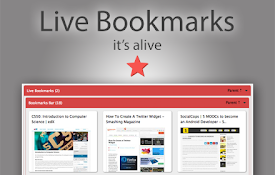
Live Bookmarks
A bookmark viewer to see all your bookmarks with s

书签管理器
一种管理Chrome书签的简便方法Try this Bookmark Manager to help
Bookmark Preview - Productivity and Extension
Preview all the Bookmarked websites...To preview a

Bookmarks clean up
Quickly clean up your bookmarks: remove duplicates
Visual bookmarks
Simple speed dial bookmarks page, including search

Better Bookmarks | 简化您的收藏夹
通过高级排序、强大的搜索、批量操作和流畅的导入/导出轻松管理您的书签。Better Bookmark
Bookee - Instant Bookmark Manager
Browse, search and share your Bookmarks with scree

ChatGPT 萬能工具箱
提升 ChatGPT 網站的使用體驗,提供一些好用功能。像是自動從 URL 填入提示、在回應的地方出

Bookmanize - 高级书签管理器
先进的书签管理器提供了标记、即时排序和在全列表视图中过滤所有书签。书签管理器有一个简洁的用户界面,所

YouTube 繁体自动翻译修正
修正YouTube 繁体中文自动翻译无法正确显示的错误。字幕设定选单中的选项会在您的YouTube
New TongWenTang
Convert characters between Chinese Simplified and

Content Farm Blocker
Preventing to open content farm by mistakeIf you h