
Ask Gemini Chrome 插件, crx 扩展下载

Effortlessly Access Google Gemini AI - Enhance productivity and get instant AI-powered insights directly from any webpage.
Unlock the Power of Google's Gemini AI - Anytime, Anywhere!
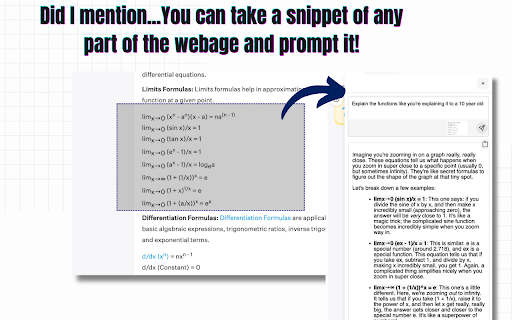
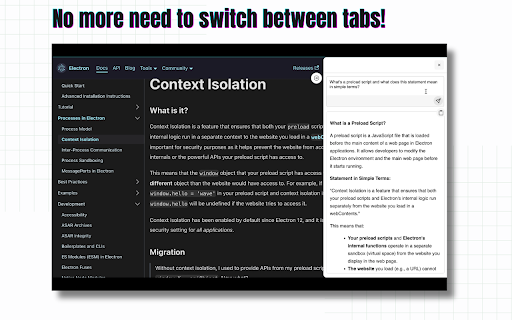
Elevate your browsing experience with Ask Gemini, the ultimate Chrome extension that brings Google's advanced Gemini AI to your fingertips. With just one click, access the latest conversational AI technology directly from any webpage, without disrupting your workflow or requiring multiple tabs.
Why Choose Ask Gemini?
* Convenience: Instantly access Gemini AI without switching tabs or losing your place on the current page.
* Speed: No more delays or interruptions - answer your questions quickly and efficiently.
* Contextual: You can prompt Ask Gemini based on the context of your selected text from any webpage, providing more accurate and relevant responses.
* Advanced Technology: Leverage Google's cutting-edge AI capabilities to get answers, insights, and suggestions on a wide range of topics.
What Can You Do with Ask Gemini?
* Answer complex questions and get in-depth information on various subjects.
* Explore new topics and discover interesting facts and insights.
* Get writing suggestions, grammar corrections, and language translation assistance.
* Enhance your research skills and stay up-to-date on the latest developments in your industry.
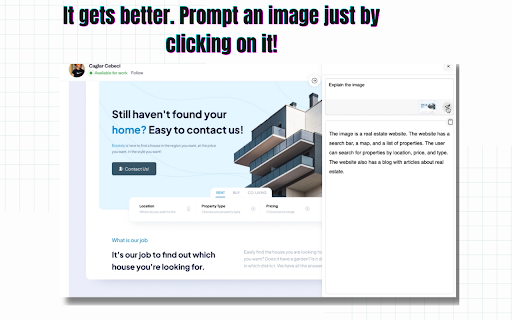
* Prompt using an Image in just one click!
Get Started Today!
Download Ask Gemini now and experience the power of Google's Gemini AI in a convenient, one-click solution. Say goodbye to tab-switching and hello to a more streamlined, AI-powered browsing experience.
| 分类 | 🛠️工具 |
| 插件标识 | daeaddalijienfjkhigbifmbdckbohjg |
| 平台 | Chrome |
| 评分 |
★★★★★
5
|
| 评分人数 | 13 |
| 插件主页 | https://chromewebstore.google.com/detail/ask-gemini/daeaddalijienfjkhigbifmbdckbohjg |
| 版本号 | 1.6 |
| 大小 | 1.43MiB |
| 官网下载次数 | 1000 |
| 下载地址 | |
| 更新时间 | 2025-01-17 00:00:00 |
CRX扩展文件安装方法
第1步: 打开Chrome浏览器的扩展程序
第2步:
在地址栏输入: chrome://extensions/
第3步: 开启右上角的【开发者模式】
第4步: 重启Chrome浏览器 (重要操作)
第5步: 重新打开扩展程序管理界面
第6步: 将下载的crx文件直接拖入页面完成安装
注意:请确保使用最新版本的Chrome浏览器
同类插件推荐
Ask Gemini
Effortlessly Access Google Gemini AI - Enhance pro

Claude AI
释放Claude AI: 智能对话,即时知识-通过AI提高生产力和探索。使用Claude AI扩展程

Thunderbit: AI 网页爬虫与网页自动化
使用 ChatGPT 仅需两次点击即可抓取和提取网站数据到 Excel!使用 AI 抓取任何网站。提

Browse AI: Fast Web Scraping & Monitoring
Scrape, monitor, and automate any website in 2 min