
192.168.1.2 Login Admin Chrome 插件, crx 扩展下载
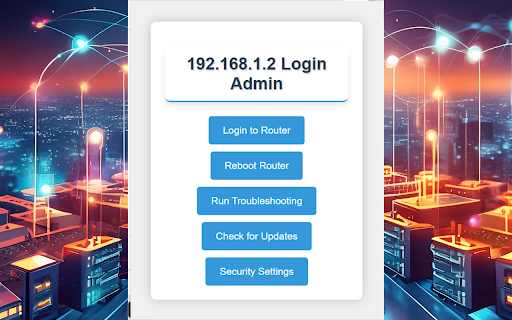
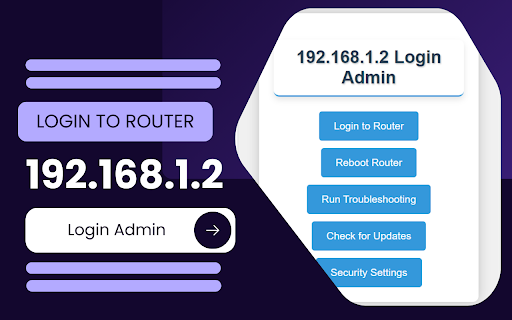
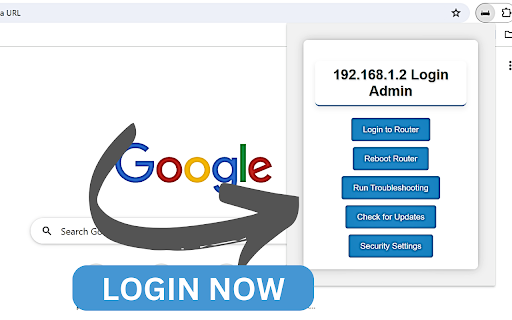
Login Now!...192.168.1.2 Login Admin. It is a private IPv4 network address to change default router settings.
192.168.1.2 IP is a private IP address a default login IP that is reserved for modems or wireless routers.
This default login IP is specific for modems or wireless routers. By typing 192.168.1.2 in the search bar of the browser, you will get authorization to the Router admin interface.
This extension will provide you with the best support to login and troubleshooting.
The IP address 192.168.1.2 is part of the IPv4 address range designated for private networks. This address is not unique and can be used by multiple networks across different homes or businesses. It’s typically assigned to routers as a default gateway or to individual devices within a network where the router has a different default IP, such as 192.168.1.1 (FreeWebTools) (Lifewire).
How to Log in to 192.168.1.2
Connect to the Network: Ensure your device is connected to the router’s network, either via Wi-Fi or an Ethernet cable.
Open a Web Browser: Launch your preferred web browser and type http://192.168.1.2 into the address bar, then press Enter.
Enter Login Credentials: You will be prompted to enter a username and password. The default credentials are often set to ‘admin’ for both fields, but this can vary depending on the router's manufacturer. If you have changed these settings and forgotten them, you might need to reset the router to factory settings.
Access the Admin Interface: Once logged in, you will have access to the router’s admin panel where you can configure settings, update firmware, and manage network security (FreeWebTools) (Lifewire).
Troubleshooting Login Issues
Incorrect IP Address: Ensure that the router’s IP address is indeed 192.168.1.2. You can verify this by checking your device’s network settings.
Forgotten Password: If you can’t remember the login credentials, reset your router. This is typically done by pressing and holding the reset button on the router for about 10-30 seconds.
Network Connection: Ensure your device is properly connected to the network. Sometimes, network settings or firewall configurations can prevent access to the admin page.
Browser Issues: Clear your browser cache or try accessing the IP address from a different browser or device (MiniTool) (Lifewire).
Securing Your Router
Change Default Credentials: Always change the default username and password to something more secure to prevent unauthorized access.
Update Firmware: Regularly check for and install firmware updates to protect against vulnerabilities.
Configure Network Security: Use WPA3 encryption if available and set a strong, unique password for your Wi-Fi network.
| 分类 | ♿无障碍访问 |
| 插件标识 | dhdimnicoafmkakdabfadnfgmplkmjlh |
| 平台 | Chrome |
| 评分 |
☆☆☆☆☆
0
|
| 评分人数 | 6 |
| 插件主页 | https://chromewebstore.google.com/detail/19216812-login-admin/dhdimnicoafmkakdabfadnfgmplkmjlh |
| 版本号 | 1.1 |
| 大小 | 11.14KiB |
| 官网下载次数 | 1000 |
| 下载地址 | |
| 更新时间 | 2024-07-19 00:00:00 |
CRX扩展文件安装方法
第1步: 打开Chrome浏览器的扩展程序
第2步:
在地址栏输入: chrome://extensions/
第3步: 开启右上角的【开发者模式】
第4步: 重启Chrome浏览器 (重要操作)
第5步: 重新打开扩展程序管理界面
第6步: 将下载的crx文件直接拖入页面完成安装
注意:请确保使用最新版本的Chrome浏览器
同类插件推荐
AutoConnect Starbucks Wifi Singapore
Stay connected to the internet on SB Wifi in Singa
192.168.188.1 Login Admin
Login Now!...192.168.188.1 Login Admin. It is a pr

Link Router
Route links on any given page to the main log with
192.168.1.3 Login Admin
Login Now!...192.168.1.3 Login Admin. It is a priv
192.168.2.1 Login Admin
Login Now!...192.168.2.1 Login Admin. It is a priv
192.168.0.1 Login Admin
Login Now!...192.168.0.l Login Admin. It is a priv
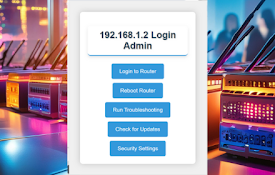
192.168.1.2 Login Admin
Login Now!...192.168.1.2 Login Admin. It is a priv
192.168.1.1 Login Admin
Login Now!...192.168.1.1 Login Admin. It is a priv

192.168.1.1 - Router Admin Login
The IP address 192.168.1.1 is a common default gat
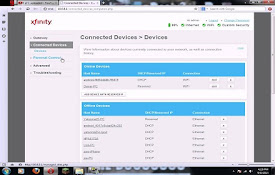
10.0.0.0.1 Router Admin Login Extension
This extension is created by 10.0.0.0.1 Consortium
IP & Downlink Utility
Show all of your local and external (IPv4 & IP

C-Strip
Strips css from pages on requestC-strip is a simpl

Admin tools
Whois, Port checker, Reverse IPIP Info, Domain Who