
Homerun Talent Clipper Chrome 插件, crx 扩展下载
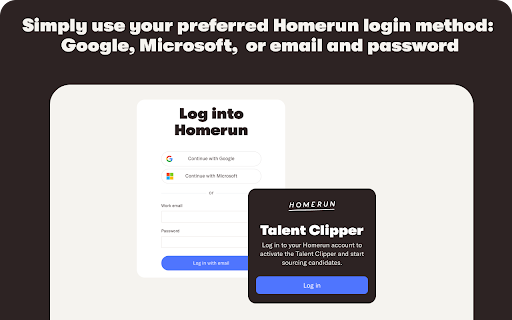
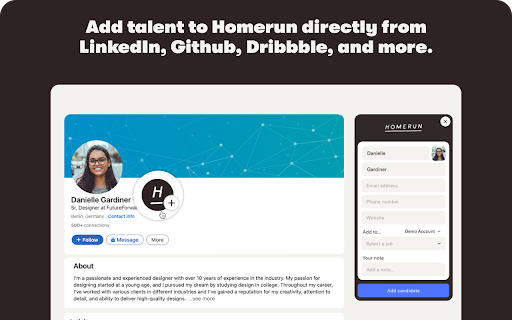
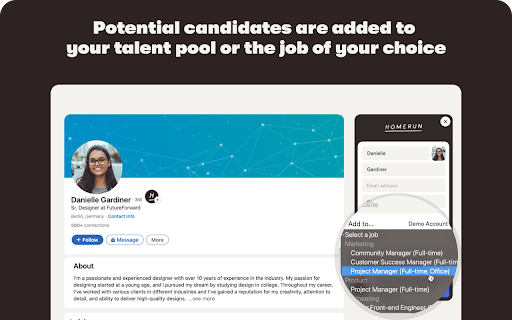
Scout talent directly from social media to Homerun.
Add qualified potential candidates to Homerun from everywhere on the web using the Chrome Talent Clipper extension. When you're on the social media profile of a potential candidate, simply click the Homerun icon to open the Talent Clipper sidebar and add them to your Homerun account. The Clipper works for most major professional social media platforms and adds the name and any other available information to the candidate profile in Homerun.
Homerun is an easy-to-use tool that helps small businesses manage their hiring flow and make meaningful hires. With beautifully styled job posts and customizable apply forms, you can put the candidate experience front and center. Homerun allows you to organize your hiring, communicate with talent and review candidates as a team – bringing your hiring process together in one clear overview.
| 分类 | 📝工作流程与规划 |
| 插件标识 | difbjidgnnghconckdfoblepajcekoje |
| 平台 | Chrome |
| 评分 |
★★★★☆
4.9
|
| 评分人数 | 15 |
| 插件主页 | https://chromewebstore.google.com/detail/homerun-talent-clipper/difbjidgnnghconckdfoblepajcekoje |
| 版本号 | 2.1.1 |
| 大小 | 244KiB |
| 官网下载次数 | 646 |
| 下载地址 | |
| 更新时间 | 2024-10-16 00:00:00 |
CRX扩展文件安装方法
第1步: 打开Chrome浏览器的扩展程序
第2步:
在地址栏输入: chrome://extensions/
第3步: 开启右上角的【开发者模式】
第4步: 重启Chrome浏览器 (重要操作)
第5步: 重新打开扩展程序管理界面
第6步: 将下载的crx文件直接拖入页面完成安装
注意:请确保使用最新版本的Chrome浏览器
同类插件推荐

Homerun Talent Clipper
Scout talent directly from social media to Homerun

HireSweet
Enhance your recruiting experience with HireSweet.

Teamtailor sourcing
Add a candidate to Teamtailor from whichever site

OctoHR
OctoHR - GitHub profile pages for Recruiters. Hel

Workable Extension - email and resume finder
Find accurate email addresses, phone numbers and r

Simplicate
Tijdregistratie met start-stop-functionaliteit, JI

Betrap de Makelaar
Wat de makelaar en huizensites je niet vertellen (

Lever Hire Extension
Import data to Lever Hire▻ Source candidates with

GlossaryTech | Learn tech words
Learn tech terms whilst web sourcingGlossaryTech C

Hello Talent
Source and qualify candidates anywhere you find th

Recruitee Talent Sourcing
Easily source candidates and import data from vari

AmazingHiring
Source Tech Candidates with AmazingHiring Extensio

hireEZ for Chrome - Find and Engage Anyone, Anywhere.
Sourcing on LI/ATS, GPT Email Campaigns, AI-assist