
Dev Station Chrome 插件, crx 扩展下载
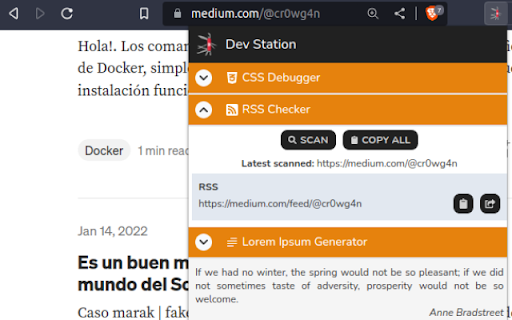
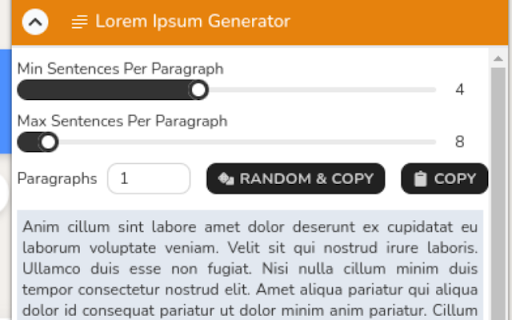
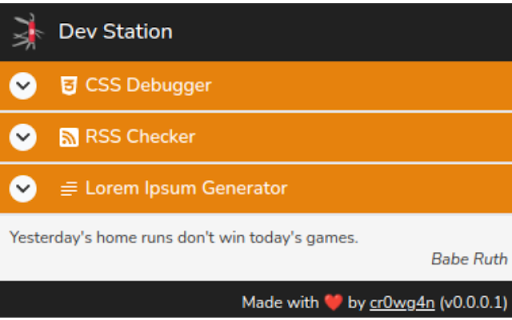
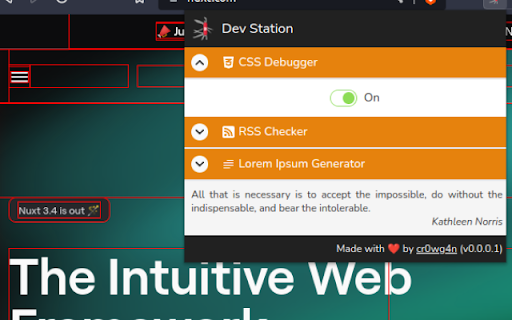
The definitive Swiss Knife extension for developers!
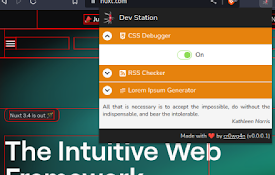
Introducing "Dev Station", the ultimate Swiss-Knive extension for developers. This powerful extension offers a range of features designed to enhance your workflow and keep you inspired throughout every stage of the development process.
Need a motivational boost? Our 'Random Inspirational Quotes' feature provides you with uplifting quotes and messages to help you stay focused and positive as you dive into your code.
In addition, our robust 'Webpage RSS Checker' tool allows you to collect and visualize RSS feeds from your favorite websites, keeping you up-to-date with the latest news and relevant posts for your projects.
But that's not all. We've also included a 'Lorem Ipsum Generator' to quickly generate placeholder text while you design and prototype your applications. Say goodbye to manual copy-pasting of Lorem Ipsum, our tool takes care of it with just a few clicks.
And this is just the beginning. We're continuously working to add more valuable features and tools in future updates of the extension. Stay tuned for new functionalities that will help you streamline your workflow, debug CSS issues, and much more.
Download "Dev Station" today and take your development workflow to the next level. Get ready for a unique and exciting experience in your development journey!
| 分类 | 💻开发者工具 |
| 插件标识 | dkdmpjoenjmbfmkiolekeclfmgcjalbg |
| 平台 | Chrome |
| 评分 |
★★★★★
5
|
| 评分人数 | 1 |
| 插件主页 | https://chromewebstore.google.com/detail/dev-station/dkdmpjoenjmbfmkiolekeclfmgcjalbg |
| 版本号 | 0.0.1 |
| 大小 | 198KiB |
| 官网下载次数 | 42 |
| 下载地址 | |
| 更新时间 | 2024-11-11 00:00:00 |
CRX扩展文件安装方法
第1步: 打开Chrome浏览器的扩展程序
第2步:
在地址栏输入: chrome://extensions/
第3步: 开启右上角的【开发者模式】
第4步: 重启Chrome浏览器 (重要操作)
第5步: 重新打开扩展程序管理界面
第6步: 将下载的crx文件直接拖入页面完成安装
注意:请确保使用最新版本的Chrome浏览器
同类插件推荐
Dev Station
The definitive Swiss Knife extension for developer

IFTTT Folders
Allow user to create folders to group items in the

Awesome DevTools Protocol
Expose DevTools Protocol functionality in UIThis C

Dev Toolbox
Dev Toolbox provides quick offline access to vario
Style Master
Discover the effortless path to style and develop

Page Bookmark
__MSG_description_<--Notice,Scroll position sav

FIVE-O Web Protection
Protects the user from potential cryptocurrency sc

Ctrl+N/P unix navigation for dropdowns
Use Ctrl+N and Ctrl+P to navigate up and down in d

xsstension
Store your xss payload and get it in your clipboar
Element Outliner
Adds Outlines to Elements■ FUNCTIONALITY ◈ Tog

Drupal PHP Editor
Provides a good view for the Devel PHP formProvide

No Curly
Avoid the time suck converting C# to F#Want to use

Quick Image Saving via CSS Selector
This Chrome extension is designed to facilitate th