
Element Outliner Chrome 插件, crx 扩展下载
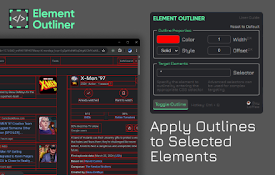
Adds Outlines to Elements
■ FUNCTIONALITY
◈ Toggle Outline
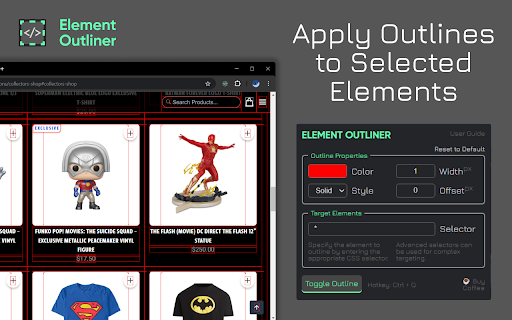
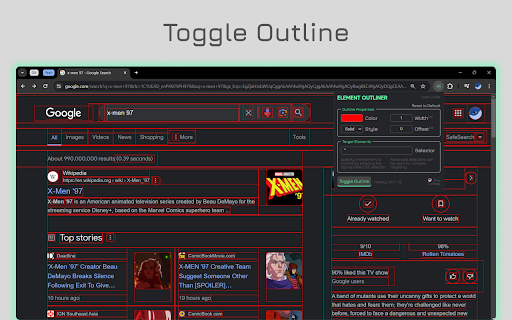
- Apply an outline style to the current active tab by clicking the “toggle outline” button or by using the hotkey Ctrl + Q.
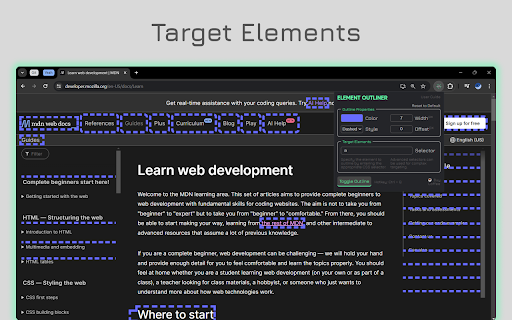
- Target specific elements for outlining based on the entered CSS selector.
◈Control Outline Properties
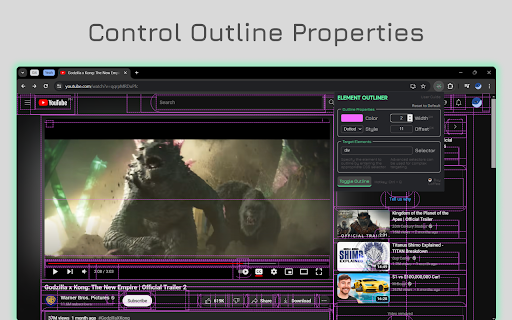
- Customize the outline’s color, style, width, and offset to suit their needs.
■ BACKGROUND and PURPOSE
◈ This extension is a personal practice project born out of a need to toggle element outlines during web development.
◈ It serves as a tool for web developers, designers, and accessibility testers, aiming to help them quickly visualize the structure of a webpage and identify potential layout or design issues.
■ HOW TO USE
◈ Install
- Visit the Chrome Web Store, search for “Element Outliner”, and click on “Add to Chrome”.
◈ Uninstall
- Open the Extensions menu in Chrome, find “Element Outliner”, and click “Remove”.
◈ General
- Click the extension icon (upper right) to trigger the popup HTML.
- Click the “toggle outline” button to add/remove the outline style to the current active tab.
- Use Ctrl + Q as an alternative way to toggle the outline.
- Set outline properties depending on your need/preference.
- To target a specific group of elements or a specific element, enter the appropriate CSS selector.
- To reset to default, click the reset button in the upper right corner of the outline properties section.
■ TROUBLESHOOTING and SUPPORT
◈ If you’re experiencing issues with Element Outliner, try the following:
- Ensure inputs are valid and not empty.
- Retoggle the outline.
- Visit your browser’s “chrome://extensions/” and toggle on/off.
- Reload the webpage.
- Restart the browser.
- Reinstall the extension.
◈ If you’re still having trouble or found bugs, please comment your issue in the feedback section.
■ SECURITY and PRIVACY MEASURES
◈ The extension does not access, collect, or modify any information on any site you visit.
◈ It operates under manifest version 3, which only grants the following permissions:
- activeTabs: to query the current active tab and add style into the correct webpage.
- storage: to save the customized outline properties for each tab.
- data are stored as session only, (holds data in memory for the duration of a browser session only).
- scripting: to add CSS styles into webpages
■ LIMITATIONS
◈ The extension is unable to add an outline style to:
- Internal pages of the Chrome browser (like chrome://settings/, chrome://extensions/, etc.) due to security restrictions.
- The extensions gallery (like https://chromewebstore.google.com/) as it cannot be scripted.
◈ The extension was developed and tested using the latest version of the Chrome browser. Compatibility with older versions has not yet been verified.
■ SUPPORT
◈ While the extension is free to use, your support can help maintain and improve the extension. Here are a few ways you can support:
- Share Your Ideas: I value your input! Share your ideas or features you'd like to see implemented in future updates.
- Spread the Word: If you find the extension useful, share it with others who might benefit from it.
- Leave a Review: Your feedback matters! Leave a review or star rating.
- Buy me a Coffee: If you're feeling generous, consider buying me a coffee to keep my creative juices flowing! ☕
- https://ko-fi.com/ceps#
Every bit of your support is deeply appreciated. It contributes to making Element Outliner better for everyone. A heartfelt thank you to all! ?
| 分类 | 💻开发者工具 |
| 插件标识 | lkojkahobobmlgidfckdkpeklpionhmc |
| 平台 | Chrome |
| 评分 |
★★★★★
5
|
| 评分人数 | 2 |
| 插件主页 | https://chromewebstore.google.com/detail/element-outliner/lkojkahobobmlgidfckdkpeklpionhmc |
| 版本号 | 1.0 |
| 大小 | 185KiB |
| 官网下载次数 | 92 |
| 下载地址 | |
| 更新时间 | 2024-04-15 00:00:00 |
CRX扩展文件安装方法
第1步: 打开Chrome浏览器的扩展程序
第2步:
在地址栏输入: chrome://extensions/
第3步: 开启右上角的【开发者模式】
第4步: 重启Chrome浏览器 (重要操作)
第5步: 重新打开扩展程序管理界面
第6步: 将下载的crx文件直接拖入页面完成安装
注意:请确保使用最新版本的Chrome浏览器
同类插件推荐

Pretty Rest API Documentacion
Extension to render a OPEN API 3 REST Documentatio
Outliner CSS
A totally awesome structure and layout debugger th
Nomics - Odysee/LBRY Analytics
Displays Odysee/LBRY analytics on the Odysee and Y

CSS-Highlight
Highlight HTML elements with a specific class or I

DOM Outliner
Outline elements within a webpage. Activate the ex

html-dom-lens extension
extension for checking DOM element information on
Element Outliner
Adds Outlines to Elements■ FUNCTIONALITY ◈ Tog
Outline HTML Elements
Outline HTML elements with a colorful border witho

Byte Eight Lab - MultiTool
View general information about the page, edit cook

Blink Style Importer
Adding custom css styles on any page, with cloud s
WebEdit Pro
Replace text in any websites, tailoring the conten
Subeditor: Webpage Text Editor
Edit the text of any webpage on the fly, directly

ChatGPT Search Bar & Send With Command Enter
ChatGPT Search Bar & Send With Command Enter M