
Multiple Calendars Selector for Google Cal Chrome 插件, crx 扩展下载
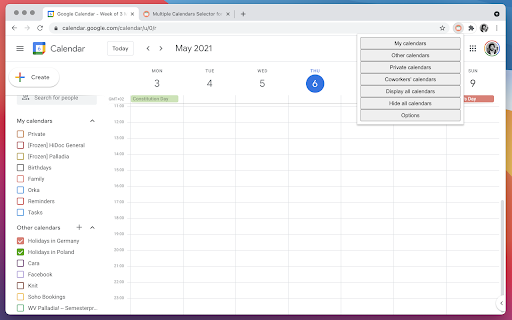
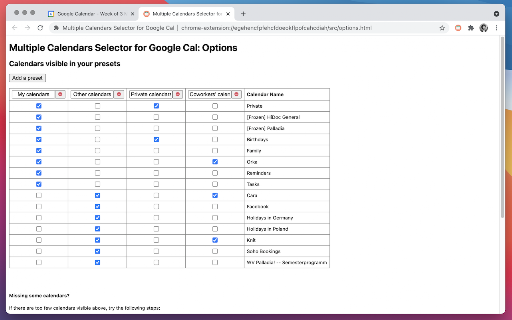
Allows you to quickly display just the group of calendars that you want (on Google Calendar).
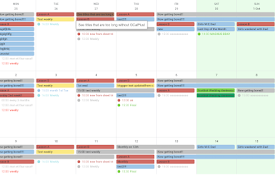
With this Google Calendar extension for Chrome, you'll be able to define presets of multiple calendars that can be displayed or hidden with one click. This way, you will be able to easily jump back and forth between different calendar sets.
Useful for viewing an entire team's availability, or previewing several conference rooms' load all at once.
Easily showing or hiding all calendars is also supported.
Hint: Consider combining this with the Event Merge for Google Calendar extension for cleaner visuals: https://chrome.google.com/webstore/detail/event-merge-for-google-ca/idehaflielbgpaokehlhidbjlehlfcep
Issues and Limitations
Feel free to reach out to us in case you encounter any issues. Current known limitations are:
- Only one Google account per browser profile is supported. If you need to use several Google accounts, you can use several Chrome profiles for this: https://support.google.com/chrome/answer/2364824?hl=en&co=GENIE.Platform%3DDesktop
- Very large (ca. 50+) numbers of calendars cause issues, especially on slower machines
Disclaimer
No representations are made about the suitability of this software for any purpose. It is provided “as is” without express or implied warranty.
Privacy Policy
When you use this extension, your presets (including the names of your calendars) are stored in your browser’s local storage. They synchronise across your signed-in devices using Google Chrome’s cloud-based mechanism — in case you have enabled it. Your presets are not shared with anyone else and no further private data is uploaded to any servers. Only anonymous usage data (such as the event of opening the extension) is collected, using Google Analytics. You can opt out of this at any time by going to the extension’s options and unselecting the respective checkbox.
Homepage
Hosted at https://orestta.github.io/MultipleCalendarsSelector/
Credits
Icon by https://www.flaticon.com/authors/vectors-market
Author
Made by Orest Tarasiuk & Igor Tarasiuk at Dessert Ventures: https://dessertventures.com?ref=MCS
| 分类 | 📝工作流程与规划 |
| 插件标识 | dlfbgdklfofchbhpeimkpepfldhkpojn |
| 平台 | Chrome |
| 评分 |
★★★☆☆
3.7
|
| 评分人数 | 19 |
| 插件主页 | https://chromewebstore.google.com/detail/multiple-calendars-select/dlfbgdklfofchbhpeimkpepfldhkpojn |
| 版本号 | 1.17 |
| 大小 | 109KiB |
| 官网下载次数 | 3000 |
| 下载地址 | |
| 更新时间 | 2024-06-03 00:00:00 |
CRX扩展文件安装方法
第1步: 打开Chrome浏览器的扩展程序
第2步:
在地址栏输入: chrome://extensions/
第3步: 开启右上角的【开发者模式】
第4步: 重启Chrome浏览器 (重要操作)
第5步: 重新打开扩展程序管理界面
第6步: 将下载的crx文件直接拖入页面完成安装
注意:请确保使用最新版本的Chrome浏览器
同类插件推荐

Rui Calendar Selector
grouping calendars for google calendar.Save the se
Multiple Calendars Selector for Google Cal
Allows you to quickly display just the group of ca
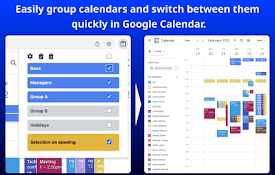
Easy Grouping for Google Calendar
Easily group calendars and switch between them qui

Quick Schedule Picker
Quick Schedule Picker日時を選択してあなたが曜日を間違えずに提案できるようになる

Calendar Selector for Google Calendar
Save and restore groups of calendars selectedCHANG
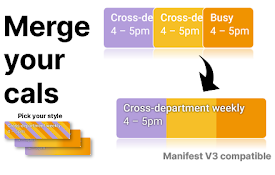
Cal Merge for Google Calendar™
Chrome extension that visually merges the same eve

Gradient Merge for Google Calendar™ Events
Take your duplicate Google Calendar events and mer

TeamCal for Google Calendar™
The missing schedule view for Google CalendarTeamC

Rainbow.surf — merge duplicate Google Calendar events
Colorfully merge duplicate Google Calendar events

Google Calendar AutoHide Toolbars
More events. Less toolbar.• Google Calendar's
GCalPlus
Extra Options for Google CalendarBe more productiv

Event Durations for Google Calendar
Shows event durations on Google Calendar.** Google

Google Calendar Quick Duplicate
A simple Chrome Extension to quickly duplicate eve