
AutoPlay and Media Control Chrome 插件, crx 扩展下载
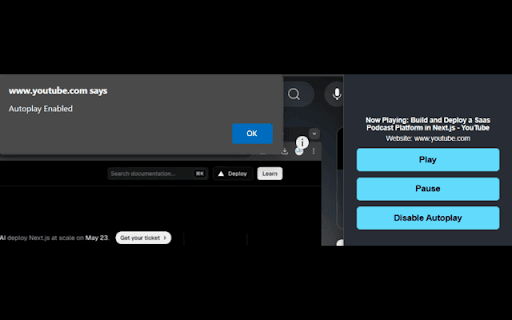
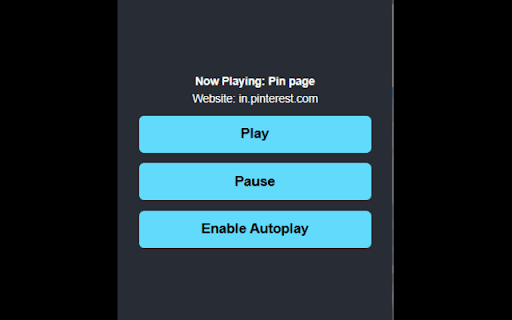
Control video/audio playback with just a click, works on YouTube, Pinterest, and other sites.
Enhance your media control with an extension that comes with a cool UI and features like AutoPlay, Pause, and Play. Built specifically for Pinterest web users, it works across all video and audio streaming platforms, including YouTube.
Whether you're in a study session or just relaxing, the extension allows seamless autoplay for videos and audio. While many music platforms support repeat songs, it can be difficult on some. Now, with our extension, that difficulty is a thing of the past.
| 分类 | 🎬娱乐 |
| 插件标识 | dljiegpbhpkellhanafpclkhakkhipll |
| 平台 | Chrome |
| 评分 |
★☆☆☆☆
1
|
| 评分人数 | 1 |
| 插件主页 | https://chromewebstore.google.com/detail/autoplay-and-media-contro/dljiegpbhpkellhanafpclkhakkhipll |
| 版本号 | 1.1 |
| 大小 | 220KiB |
| 官网下载次数 | 21 |
| 下载地址 | |
| 更新时间 | 2024-11-20 00:00:00 |
CRX扩展文件安装方法
第1步: 打开Chrome浏览器的扩展程序
第2步:
在地址栏输入: chrome://extensions/
第3步: 开启右上角的【开发者模式】
第4步: 重启Chrome浏览器 (重要操作)
第5步: 重新打开扩展程序管理界面
第6步: 将下载的crx文件直接拖入页面完成安装
注意:请确保使用最新版本的Chrome浏览器
同类插件推荐

Mute Autoplay Videos
Mutes all HTML5 videos when opening a webpage. No

Dark Mode Master
A Dark theme for any website. Dark Mode Master is

Go Away! Autoplay
A chrome extension created to automatically mute w

Distraction free: Hide YouTube content
Hide the YouTube content and be distraction free!E

Disable HTML5 Autoplay (M3)
Disables HTML5 autoplay of videos and audios. This

Youtube Playlist Autoplay Stopper
Can Disable/Enable autoplaying the next video in q

Auto Play
Automatically play music from a variety of website
Auto Play Enabler
This extension is no longer updated. Please try th
AutoPlay and Media Control
Control video/audio playback with just a click, wo

Dark Mode - Dark Reader extension for Chrome
Dark Mode a dark theme for every website. Switch a

Yet another autoplay blocker
Pause videos until you click on them.Block autopla

Noplay
Video autoplay blocked for goodTired of videos pla

Disable HTML5 Autoplay & Version 2024
Disables autoplay of all HTML5 audio and video on