
Findr Chrome 插件, crx 扩展下载
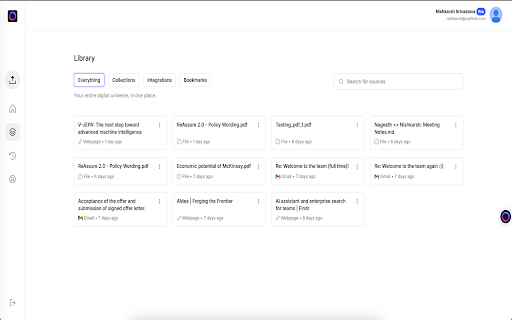

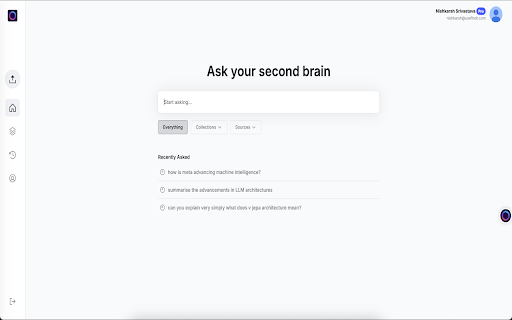
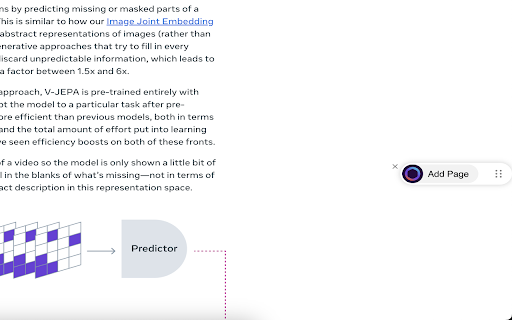
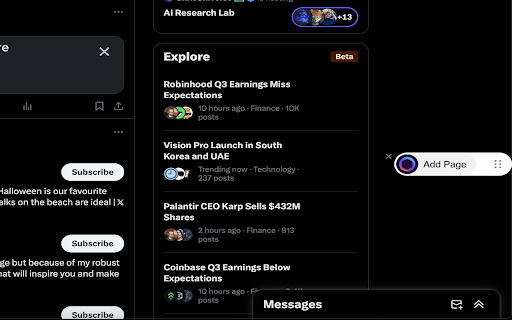
Capture articles, social media posts, and webpages with 1-click — use AI to chat, search, and organize bookmarks.
Meet Findr: Your Ultimate AI Bookmark Manager
Losing track of valuable content scattered across the web? With Findr, you can save, organize, and chat with your bookmarks from a single place.
Why Choose Findr?
Findr is your AI bookmark assistant, helpful for organising and searching your bookmarks. Whether you're a researcher, writer, engineer, marketer, or someone who loves staying organised, it has the features you need:
? One-Click Bookmarking
Save content effortlessly with a single click
? AI-Powered Chat & Summaries
Interact with your saved bookmarks and extract key insights instantly
? Smart Search
Quickly find what you need with fuzzy search across saved content
? Effortless organization
Use collections to categorize and tag bookmarks to keep your library tidy and accessible
? Cloud Sync
Access your bookmarks anytime, anywhere, across all your devices
? Shareable Links
Share your bookmarks with friends and colleagues with a single click
? Privacy-first
Your privacy is guaranteed. Findr is SOC2 and ISO compliant and never uses your data for training purposes - whether it's your uploaded files, saved materials, or AI conversations. You retain complete control.
Designed for those who:
- Cannot lose valuable ideas, inspiration, or creative sparks
- Save 2 hours daily by avoiding endless tab searches
- Maintain creative flow and focus while working
Perfect for:
- Capturing interesting articles, blogs, and forums
- Saving ideas, references, and websites
- Bookmarking and organizing social media posts, links, and code snippets
How It Works:
- Install the Findr Chrome Extension
- Click the Findr icon while browsing to instantly save the content
- Chat, search, and organize your bookmarks using AI in your memory wall
| 分类 | 📝工作流程与规划 |
| 插件标识 | dnnllcjmafbaamldbhcklmhnnllmphjd |
| 平台 | Chrome |
| 评分 |
★★★★☆
4.6
|
| 评分人数 | 329 |
| 插件主页 | https://chromewebstore.google.com/detail/findr/dnnllcjmafbaamldbhcklmhnnllmphjd |
| 版本号 | 0.2.0 |
| 大小 | 96.92KiB |
| 官网下载次数 | 437 |
| 下载地址 | |
| 更新时间 | 2025-02-05 00:00:00 |
CRX扩展文件安装方法
第1步: 打开Chrome浏览器的扩展程序
第2步:
在地址栏输入: chrome://extensions/
第3步: 开启右上角的【开发者模式】
第4步: 重启Chrome浏览器 (重要操作)
第5步: 重新打开扩展程序管理界面
第6步: 将下载的crx文件直接拖入页面完成安装
注意:请确保使用最新版本的Chrome浏览器
同类插件推荐
Findr
Capture articles, social media posts, and webpages

PackPack - AI书签管理器,浏览器扩展程序
文章、社交媒体帖子、图片、视频等内容 - AI 让一切都可保存且易于阅读。PackPack 超越了传

Me.bot
Me.bot: Your Second Brain that Enhances Your Memor

Capacities Web Extension
Save website URLs, titles and cover images directl

Chat with Desksense AI Powered by GPT4
The Ultimate AI Assistant with GPT-4 powered respo

IKI
iki.aiThis extension provides quick saving of the

Kaptr.me - Web Dashboards with Live Snapshots
Capture live snapshots of any app or website - cen

tabExtend - Easy Tab manager
Transform your new tab into a powerful dashboard.

mymind — An extension for your mind
Add images, bookmarks, notes, quotes or text highl

Save and search with Stacks
Stacks is your personal search engine. Recall book

Twos: The best place to write *things* down
Chrome extension for Twos: The best place to write

MyMemo web clipper
MyMemo Chrome ExtensionIntroducing the MyMemo Chro

myReach Web Clipper
Save the things that matter on the web in an inter