
XAD Client for CRM New Version Chrome 插件, crx 扩展下载
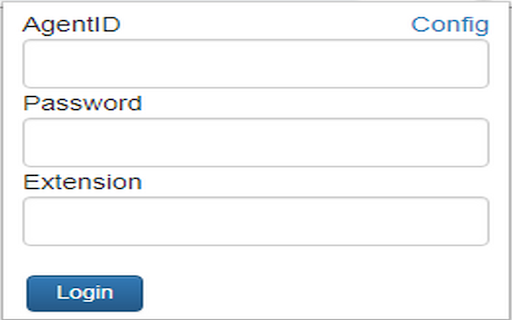
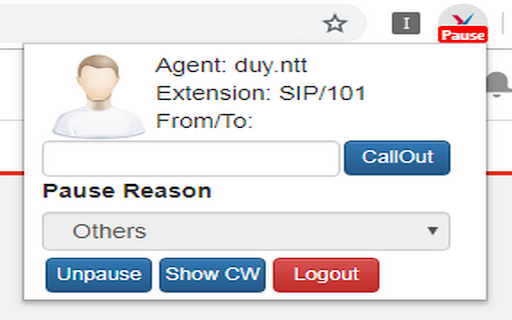
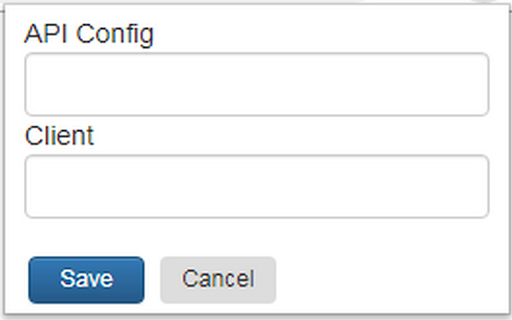
XAD Client for CRM New Version
Welcome to XAD Extension
XAD (client-site addon) Chrome Extension is Computer Telephony Integrations (CTI) Agent Desktop Application for CRM(s) integration (Freshdesk, Freshsales, Salesforce, Zendesk) specially designed for Call Center Agent/Contact Center Agent. Using for Windows, Linux and MacOS.
How does it work?
- Go to the Chrome web store, search for the XAD keyword then add it to your chrome.
- Login into XAD Extension with your individual call center account.
- Receive incoming calls and provides caller identification feature (screen pop-up) via your CRM application.
- Click on a phone number and make a call.
- Make outgoing calls via the call
- All your calls will automatically get logged and recorded in your XAD account.
- More features: Agent Information, Pause (with reasons list), Unpause, Show Call Waiting (CW), Logout.
----------------------------------------------------------------------------------------------------
v2.4.0.0
- Upgrade XAD extension system.
- Upgrade to the latest version of SocketIO.
- Integrate Webpack into the extension.
v2.3.02.02
- Update some errors that arise for the calling feature via Zalo.
v2.3.02.01
- Add a new feature to allow calling via Zalo.
v2.3.01.13
- Update some new features for the Sales Console.
v2.3.01.12
- Update call not sending a request to create ticket on FreshDesk.
v2.3.01.11
- Fix error when logging in with the same extension number.
v2.3.01.10
- Update more options when call ringing, create a case on Salesforce.
v2.3.01.09
- Update and fix some issues related to the Ubuntu operating system.
v2.3.01.08
- Fix click to call from Case Salesforce add call log to Case.
v2.3.01.07
- Update to add automatic call log assignment for FreshSales.
v2.3.01.06
- Update more modules for sending messages with Zalo (ZNS) Template.
- Fix agent login error with previously configured CRM.
- Fix the error of displaying the wrong message that the agent is already logged in.
v2.3.01.05
- Update more customer information displayed on CRM Zendesk.
- Fixed some bugs not showing call log in CRM FreshSales.
v2.3.01.04
- Fixed some bugs related to multi-tab refresh.
v2.3.01.03
- Fixed some bugs in modules sms.
v2.3.01.02
- Fixed some bugs.
v2.3.01.01
- Fixed some interface bugs.
v2.2.12.21
- Update more English and Vietnamese languages.
v2.2.11.10
- Updated feature to add call log manually when complete calls for FreshSales.
- Updated feature when ending a call, automatically returning to the previously opened tab while in another tab.
- Update feature on/off Transfer CSAT.
v2.2.09.19
- Change get config from the file to the options page.
v2.2.06.10
- Update manifest version 2 to manifest version 3.
- Change the way to load Jquery and Socket IO in background.service worker.
- Update the new interface for the extension.
| 分类 | 📝工作流程与规划 |
| 插件标识 | dpbkfheiojoikaieogmnpmlkomdgcbml |
| 平台 | Chrome |
| 评分 |
★★★★☆
4.3
|
| 评分人数 | 6 |
| 插件主页 | https://chromewebstore.google.com/detail/xad-client-for-crm-new-ve/dpbkfheiojoikaieogmnpmlkomdgcbml |
| 版本号 | 2.4.0.0 |
| 大小 | 1.16MiB |
| 官网下载次数 | 23 |
| 下载地址 | |
| 更新时间 | 2024-02-25 00:00:00 |
CRX扩展文件安装方法
第1步: 打开Chrome浏览器的扩展程序
第2步:
在地址栏输入: chrome://extensions/
第3步: 开启右上角的【开发者模式】
第4步: 重启Chrome浏览器 (重要操作)
第5步: 重新打开扩展程序管理界面
第6步: 将下载的crx文件直接拖入页面完成安装
注意:请确保使用最新版本的Chrome浏览器
同类插件推荐
JumpCloud Go™
JumpCloud Go™ enables faster, safer, seamless user

EventCenter WebRTC Screen Capture
This extension allows EventCenter WebRTC connectio

OmniChat by Freshchat
Engage, sell, and support from anywhere on the web

Toasts Notification
Shows off desktop notifications, which are "t

AutoSync for AppSheet™
Auto refresh your Google AppSheet™ applications.Cu

Clear Cookies, Storage, and Reload Page
Clears the cookies clears the storage and reloads
XAD Client for CRM New Version
XAD Client for CRM New VersionWelcome to XAD Exten

Gcalls Callbox
Click to call any contacts inside various CRM plat

FastVPN for Streaming
FastVPN for Streaming proxy manager"FastVPN&q

VoiceRules - Click To Call for CRM Tools
Make & receive more sales and support calls, t