
Domain Age Calculator Chrome 插件, crx 扩展下载
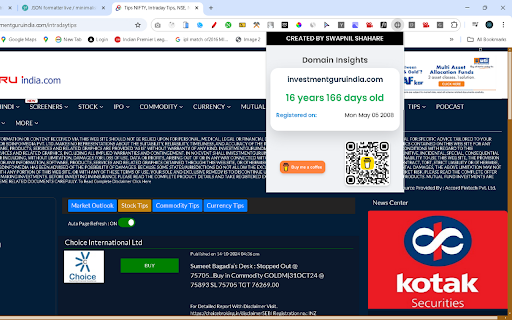
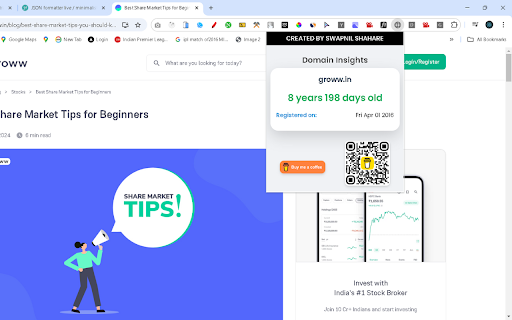
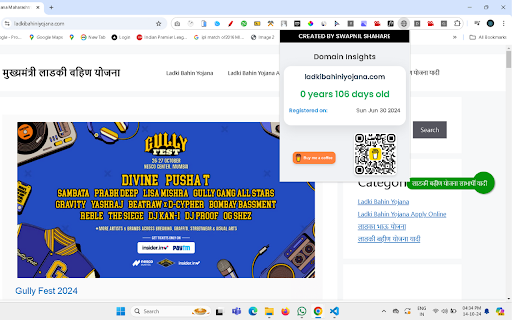
Get quick domain age information for any domain
Uncover valuable insights about any website's history with the Website Domain Age & Registration Date Finder Chrome extension! Whether you're an SEO expert, web developer, or just curious about a website’s background, this tool helps you effortlessly discover how long a domain has been active and when it was first registered.
With a single click, you can instantly view the domain age and registration details directly from your browser. No need to visit multiple websites or perform manual searches—everything you need is right at your fingertips!
Key Features:
⚫Instant Domain Age: Quickly find out how long a domain has been active since its registration.
⚫Registration Date: View the original registration date of any website with ease.
⚫Seamless Integration: The extension fits right into your browsing experience, providing quick and accurate information without interrupting your workflow.
⚫User-Friendly Interface: Simple, intuitive, and easy to use—just click the icon to get instant results.
Perfect for professionals involved in SEO, digital marketing, or anyone looking to gain deeper insights into the web, this extension will save you time and effort by providing essential website data instantly.
Elevate your browsing experience and get the information you need, when you need it!
| 分类 | 🛠️工具 |
| 插件标识 | dpcbcbncgceheeopjkmmnclldjmhigba |
| 平台 | Chrome |
| 评分 |
★★★★★
5
|
| 评分人数 | 7 |
| 插件主页 | https://chromewebstore.google.com/detail/domain-age-calculator/dpcbcbncgceheeopjkmmnclldjmhigba |
| 版本号 | 1.0 |
| 大小 | 111KiB |
| 官网下载次数 | 74 |
| 下载地址 | |
| 更新时间 | 2024-10-16 00:00:00 |
CRX扩展文件安装方法
第1步: 打开Chrome浏览器的扩展程序
第2步:
在地址栏输入: chrome://extensions/
第3步: 开启右上角的【开发者模式】
第4步: 重启Chrome浏览器 (重要操作)
第5步: 重新打开扩展程序管理界面
第6步: 将下载的crx文件直接拖入页面完成安装
注意:请确保使用最新版本的Chrome浏览器
同类插件推荐

Domain Age Finder Google SERP - Semantic Pen
Find & highlight domains under 4 years old on

Domain Age Checker | Site Age Checker
Free WHOIS extension to instantly check domain age
Domain Age Calculator
Get quick domain age information for any domainUnc

Free DA PA Checker Bulk - Chrome Extension
Easily check Domain Authority (DA) and Page Author

Domain Age Checker | Site Age Checker
A domain age checker is a WHOIS tool / extension t

Nova Extension
Buy, snipe & sell tokens on Solana using Nova

Domain Age Checker by Semantic Pen
Check the age of any domain you're visiting.Do

VStat 3 - visit statistics & website traffic
Web Traffic Analysis and Visitors Details SEO plug

Whatsmyserp
Unlimited on-demand keyword research data inside G

SEO Search Simulator by Nightwatch
Simulate search engine queries from any location o

Domain Age Checker - Site Age Checker, Check Age of Website Online
Check age of website online with our easy-to-use D

Domain Age Checker | Site Age Checker
Domain age checker is a whois tool / extension dev

Detailed SEO Extension
Get SEO insights at the click of a button to any w