
SmoothType Chrome 插件, crx 扩展下载

Enhance text editors with a smooth, Microsoft Word-style cursor caret animation.
SmoothType enhances text editors by adding a smooth, Microsoft Word-style cursor caret animation, making your typing experience more fluid and visually pleasing.
The extension allows you to fully customize the cursor caret's visual settings, including adjustable transition delays and custom CSS animation effects.
Currently supports Google Docs, Sheets, and Overleaf.
| 分类 | 📝工作流程与规划 |
| 插件标识 | ebpefnjjlnnagcmlmcnpjeaebmojpgni |
| 平台 | Chrome |
| 评分 |
★★★★☆
4.1
|
| 评分人数 | 95 |
| 插件主页 | https://chromewebstore.google.com/detail/smoothtype/ebpefnjjlnnagcmlmcnpjeaebmojpgni |
| 版本号 | 0.0.1 |
| 大小 | 32.26KiB |
| 官网下载次数 | 426 |
| 下载地址 | |
| 更新时间 | 2024-11-30 00:00:00 |
CRX扩展文件安装方法
第1步: 打开Chrome浏览器的扩展程序
第2步:
在地址栏输入: chrome://extensions/
第3步: 开启右上角的【开发者模式】
第4步: 重启Chrome浏览器 (重要操作)
第5步: 重新打开扩展程序管理界面
第6步: 将下载的crx文件直接拖入页面完成安装
注意:请确保使用最新版本的Chrome浏览器
同类插件推荐
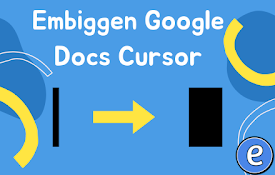
Embiggen Google Docs Cursor
Makes your Google Docs cursor biggerThis extension

SmoothType
Enhance text editors with a smooth, Microsoft Word

CPS Test - Check Click Per Second
Build your own cps record.The cps test ( Click Spe

Smooth Cursorify
Apply a Microsoft Word-like smooth caret animation
Typewriter
Plays typewriter sounds when you type on any web s

DocsAfterDark
Beyond dark mode for Google DocsCustomize the look
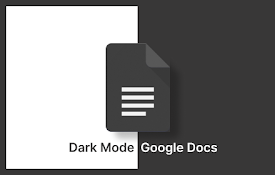
黑暗模式谷歌文档
使用我们的黑暗模式 Google 文档扩展提高效率。体验无缝 Google 文档黑暗模式,提高写作效
Color Fussion
Color Fussion will bring your New Tab to life with

MaxFocus: 链接预览和AI助手
直接从当前标签页预览链接,保持专注。MaxFocus 非常适合顺畅地浏览社交媒体和新闻源、不间断地观

Fontonic - Change Fonts
Change fonts of any website with your locally inst

Smooth Scrolling with 60fps
Fix position:fixed by adding transform:translateZ(

SmoothScroll
Scroll smoothly on all websites with your mouse an

Cursor Trail - 光标轨迹
光标轨迹允许您个性化和增强您的光标轨迹效果。一个光标轨迹将跟随您的鼠标光标。? 使用 Cursor